Mobile POS Sri Lanka
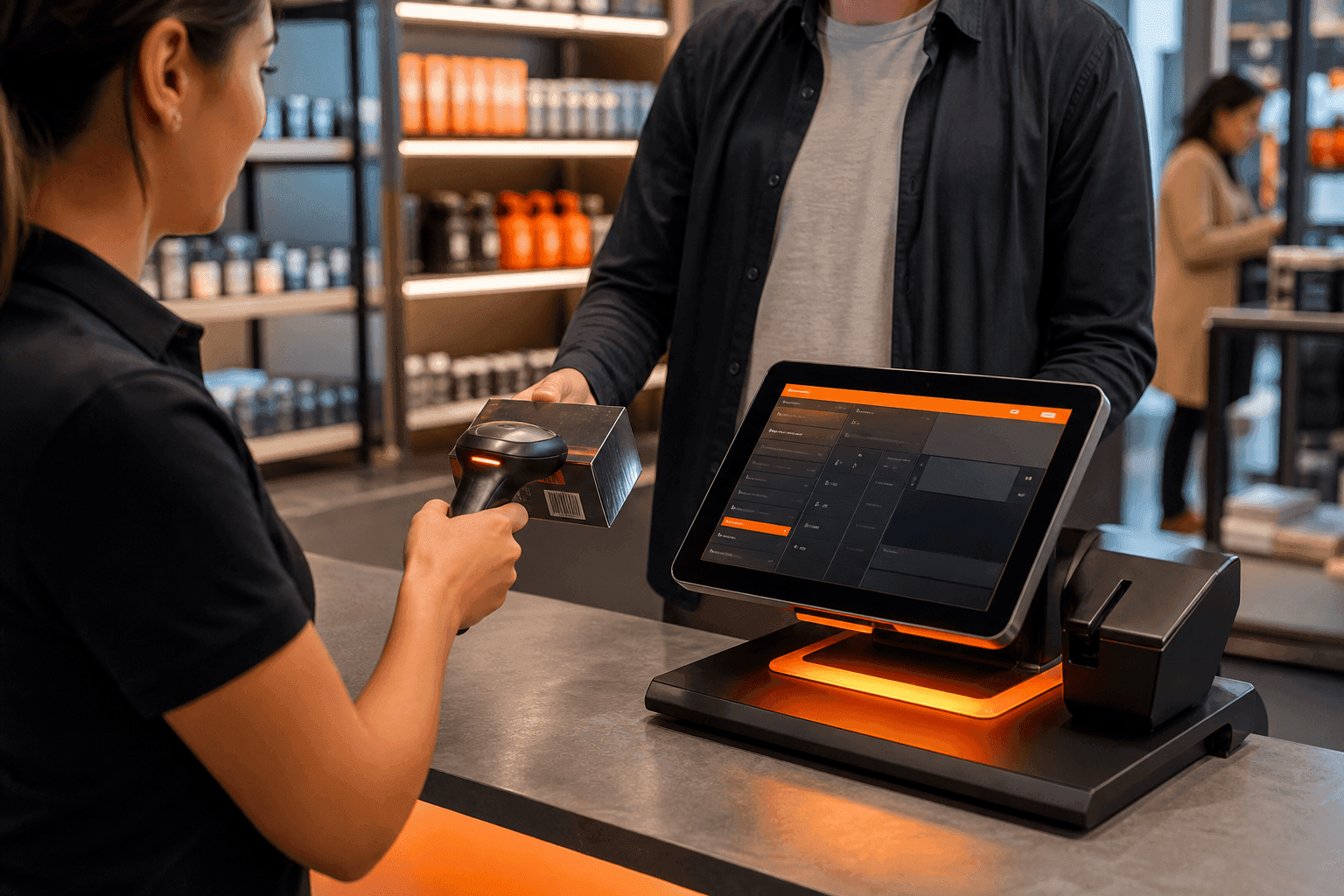
Android and iOS POS for roaming counters, pop-ups and floor staff — barcode checkout with the same SellMate stock.
Run your store on Sellmate
POS, inventory, courier, repairs, staff and reports. One cloud platform built for retail and gadget shops in Sri Lanka and beyond.
- 14-day free trial
- No credit card required
- Setup in under 5 minutes
Or WhatsApp / call us: 070 746 7221
Does SellMate support mobile POS?
Yes. SellMate provides Android and iOS POS apps for mobile checkout, stock lookup and day-to-day selling alongside the cloud and desktop POS.
Mobile POS System Sri Lanka
Not every sale happens at a fixed till. Floor staff, exhibition stalls and small counters need a phone or tablet that still respects barcodes, payments and inventory rules.
SellMate mobile POS is part of the same platform as desktop and web, so prices and stock are not reinvented per device.
POS that moves with the team
Android & iOS
Native mobile POS apps for the devices your staff already carry.
Barcode selling
Scan and bill on the floor without walking back to a desktop.
Stock awareness
Lookup and sell against the shared catalogue and locations.
Pairs with offline desktop
Use mobile for mobility and desktop offline POS for fixed counters.
Mobile POS capabilities
- Android / iOS POS
- Barcode sales
- Payments workflows
- Stock lookup
- Works with cloud SellMate inventory and customers
- E-bills by WhatsApp, SMS, email or QR
- Bluetooth ESC/POS and Star mPOP receipt printers (58mm / 80mm)
- Courier shipment booking from the phone
The SellMate mobile POS app
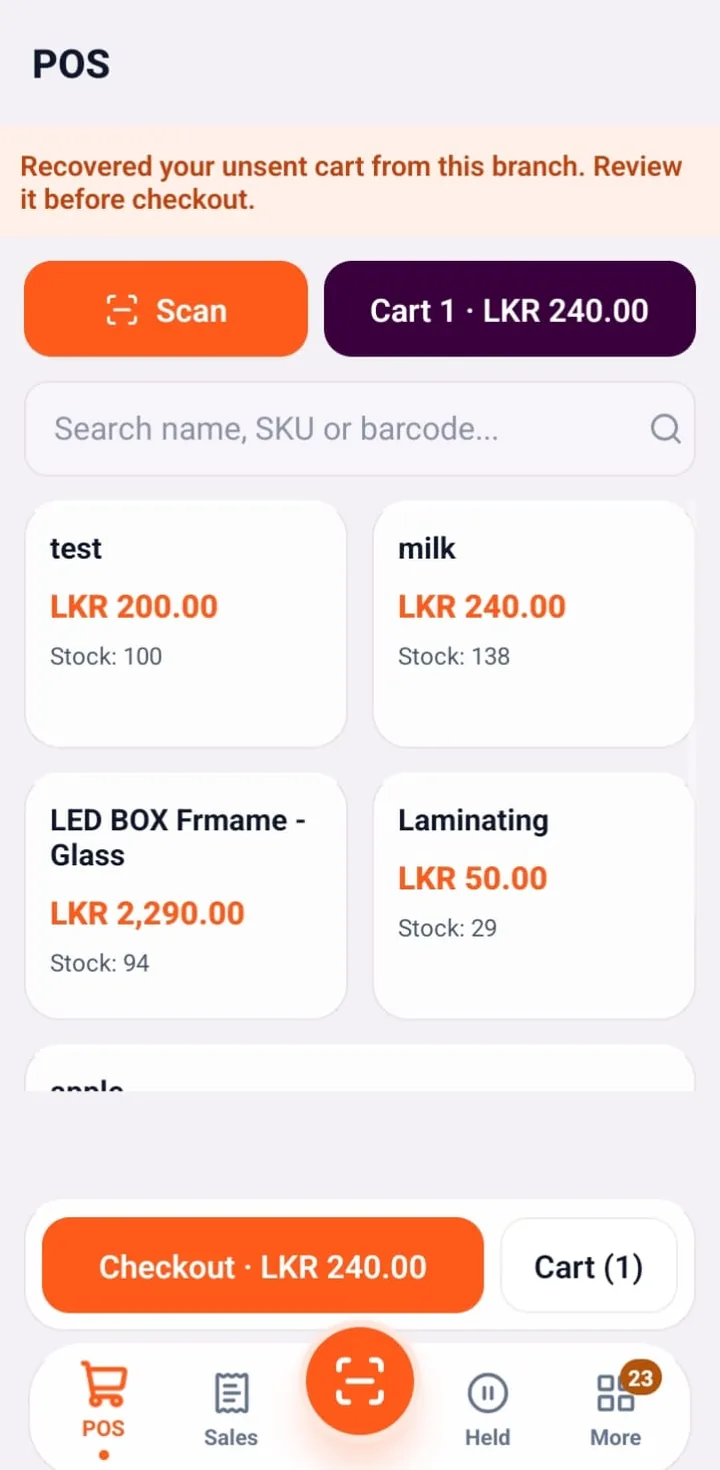
Mobile POS billing
Scan with the phone camera or search by name, SKU or barcode, then check out from the floor. Unsent carts are recovered automatically.
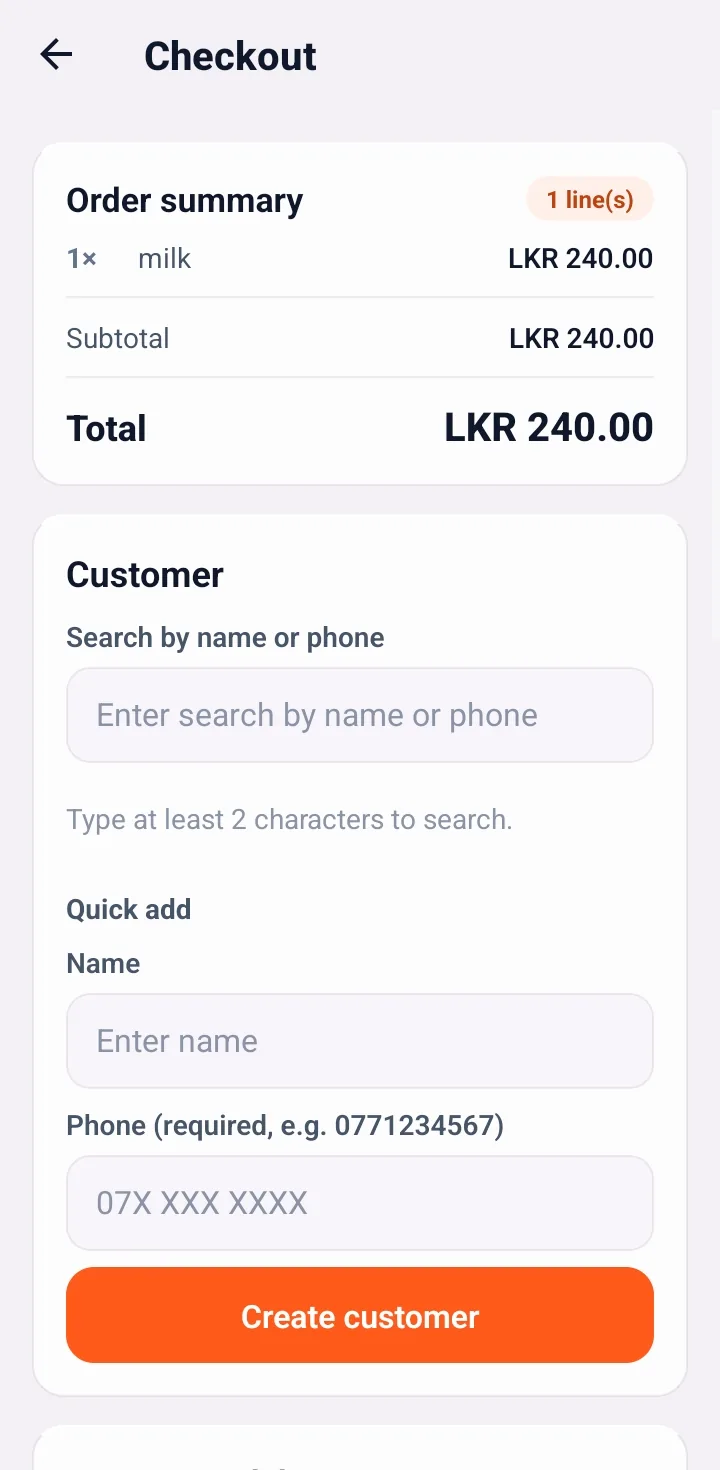
Checkout with customer
Order summary, customer search by name or phone and quick-add a new customer without leaving checkout.
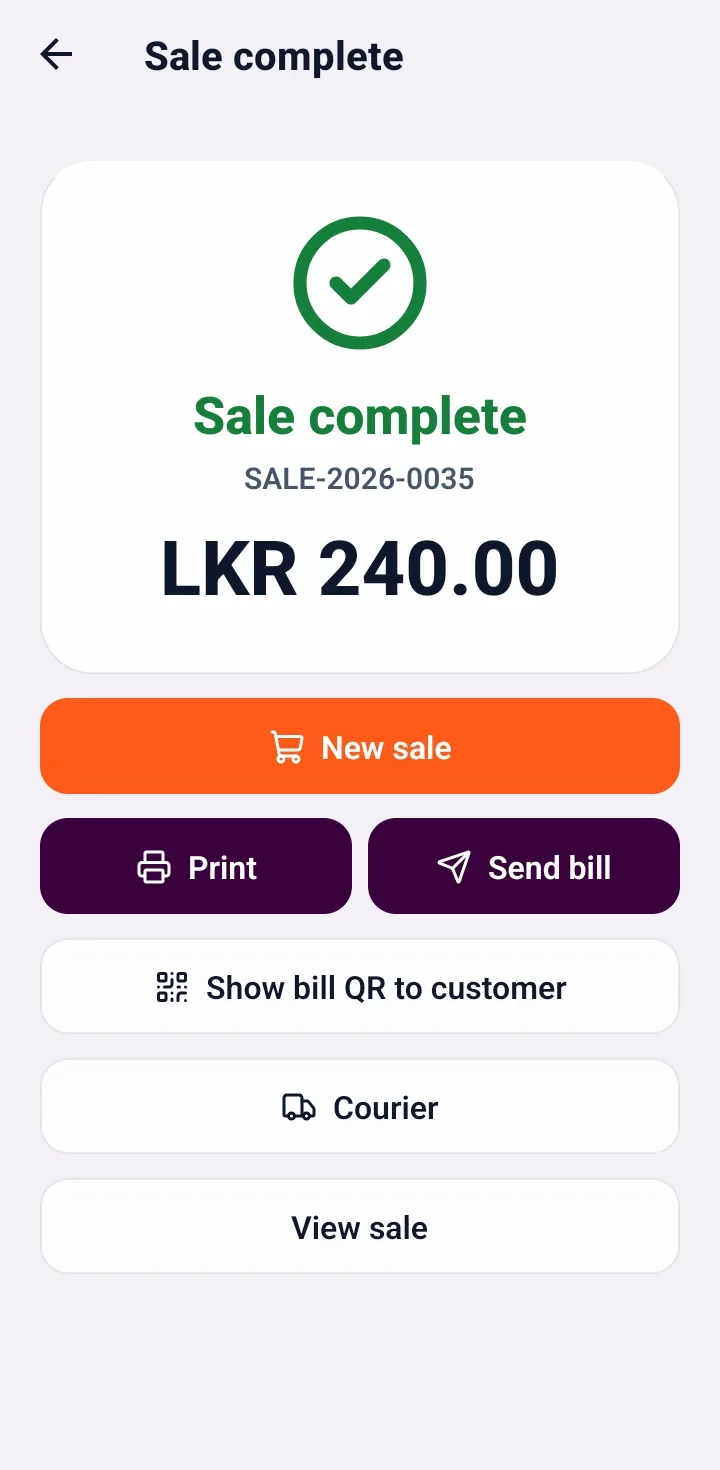
Sale complete
Print the receipt, send the bill, show a bill QR to the customer or book a courier straight from the finished sale.
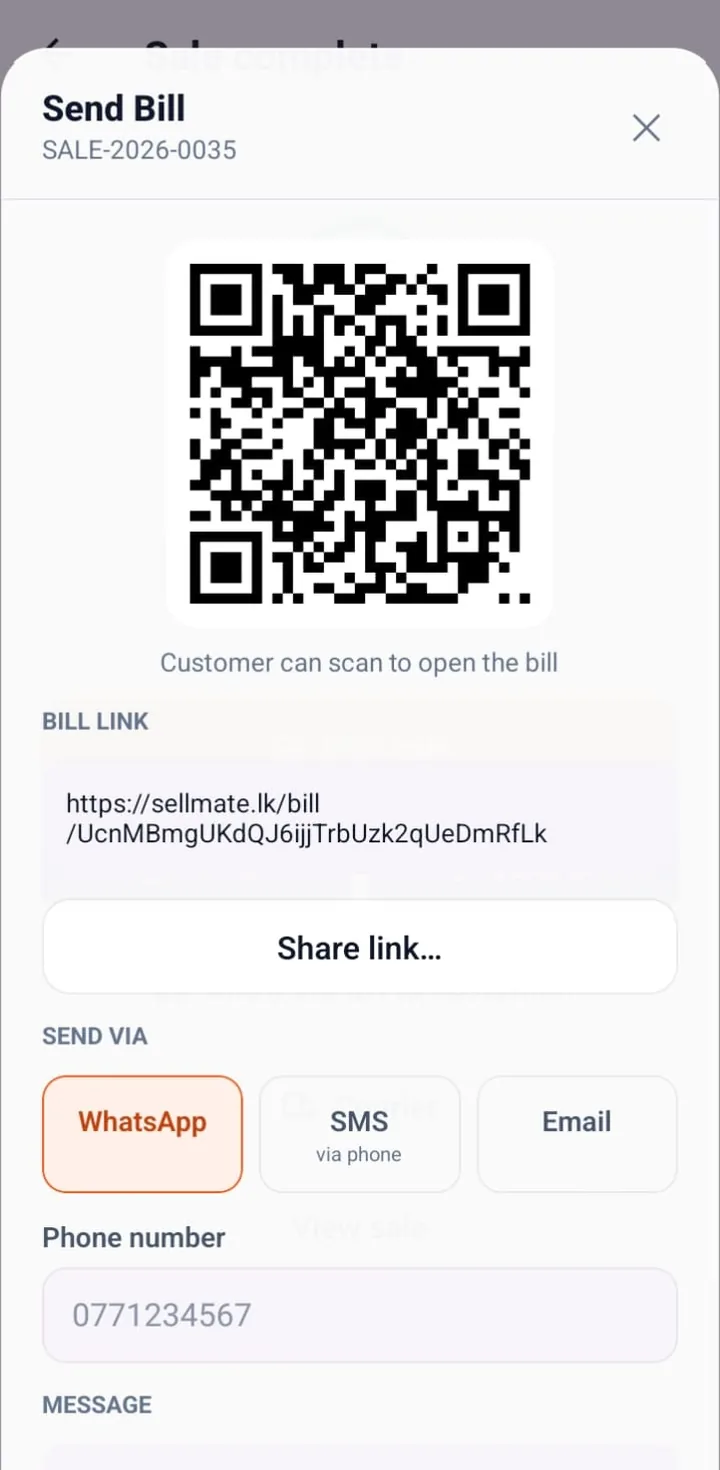
Send e-bill by WhatsApp, SMS or QR
Every sale gets a shareable digital bill link and QR code. Send it by WhatsApp, SMS or email instead of paper.
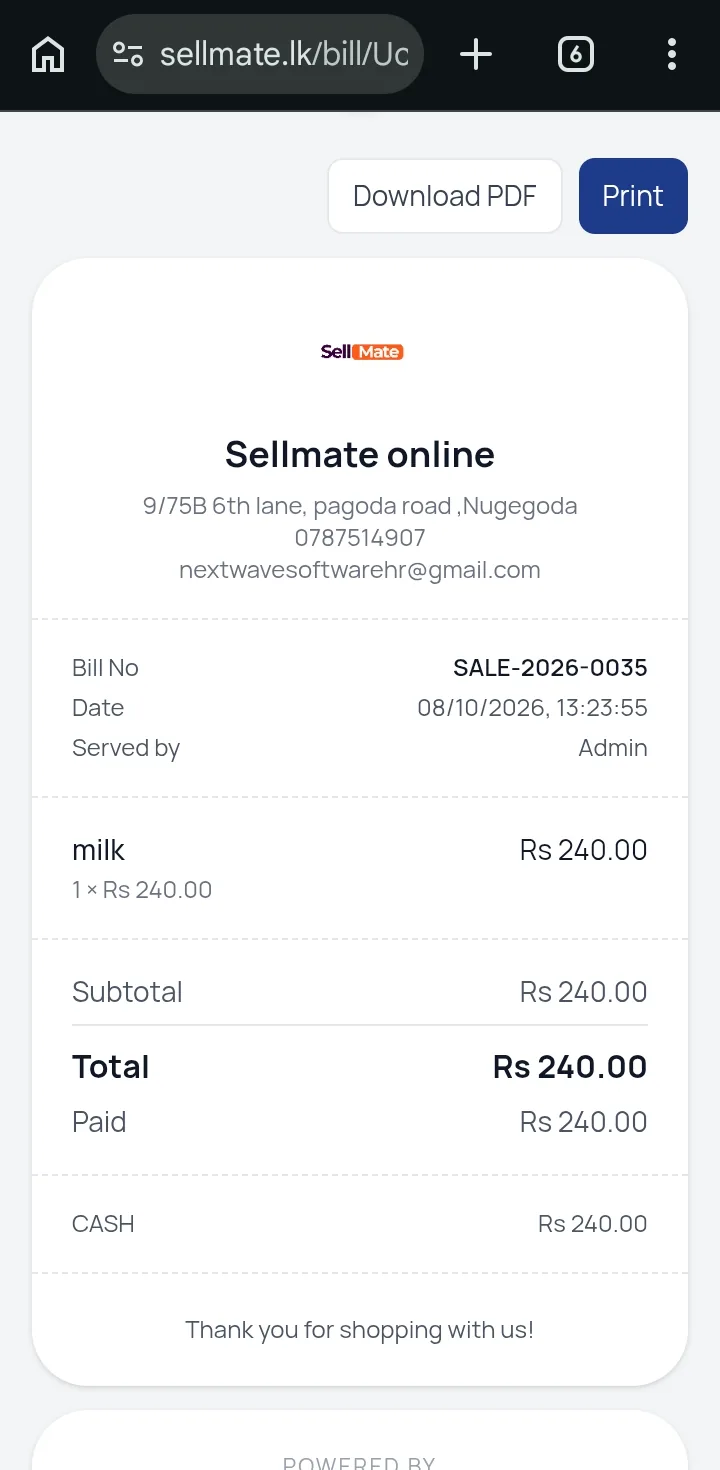
Digital receipt for customers
Customers open a branded online bill on sellmate.lk with items, totals and payment, and can download a PDF or print it.
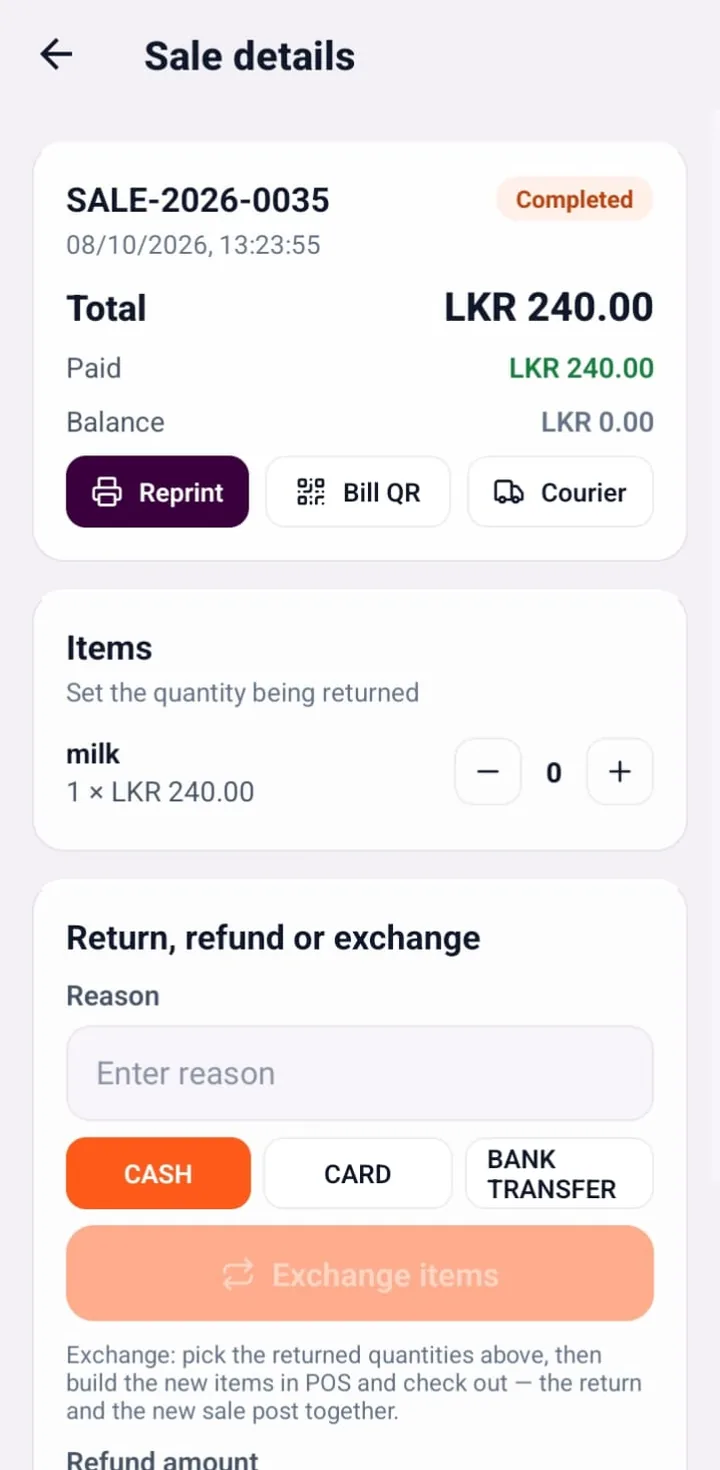
Returns, refunds and exchanges
Open any sale to reprint, show the bill QR, book a courier or process a return, refund or exchange by item quantity.
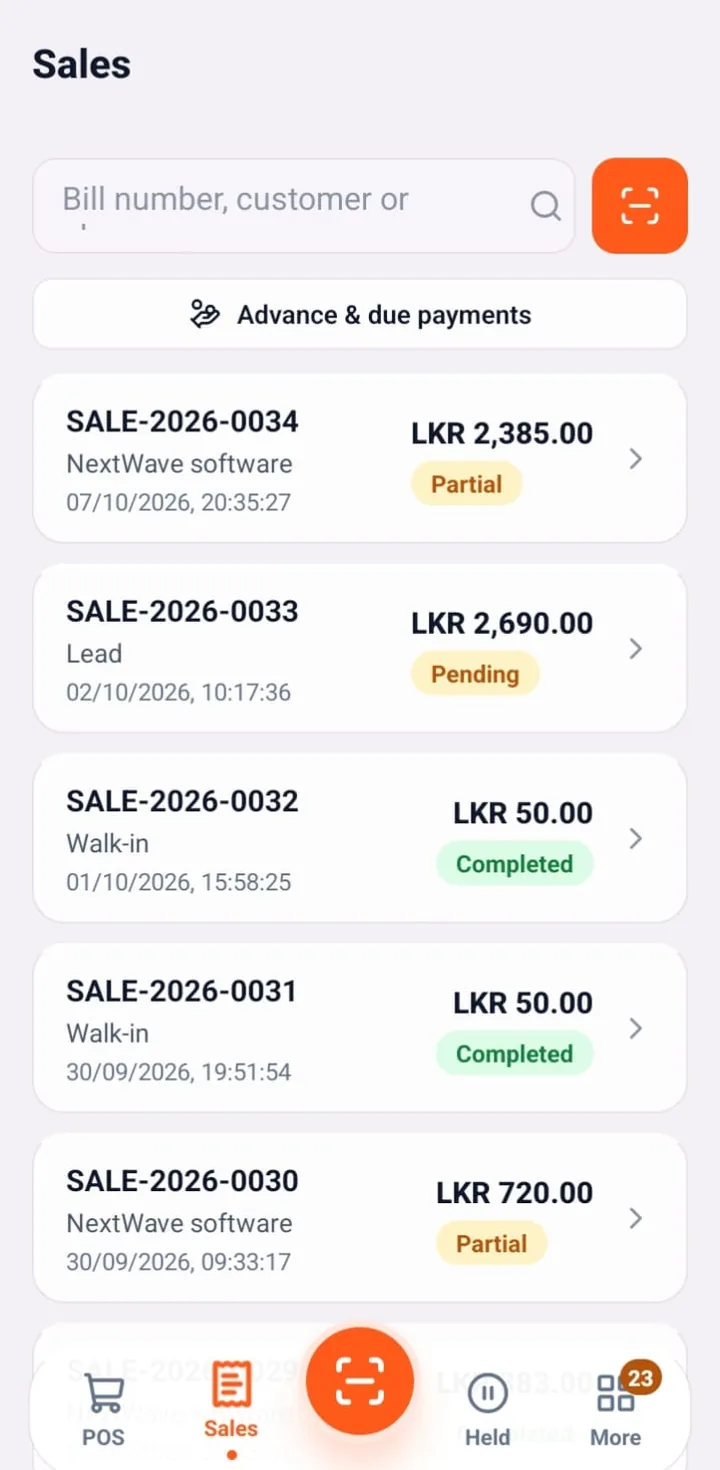
Sales history on mobile
Search bills by number or customer and see completed, partial and pending payments at a glance.
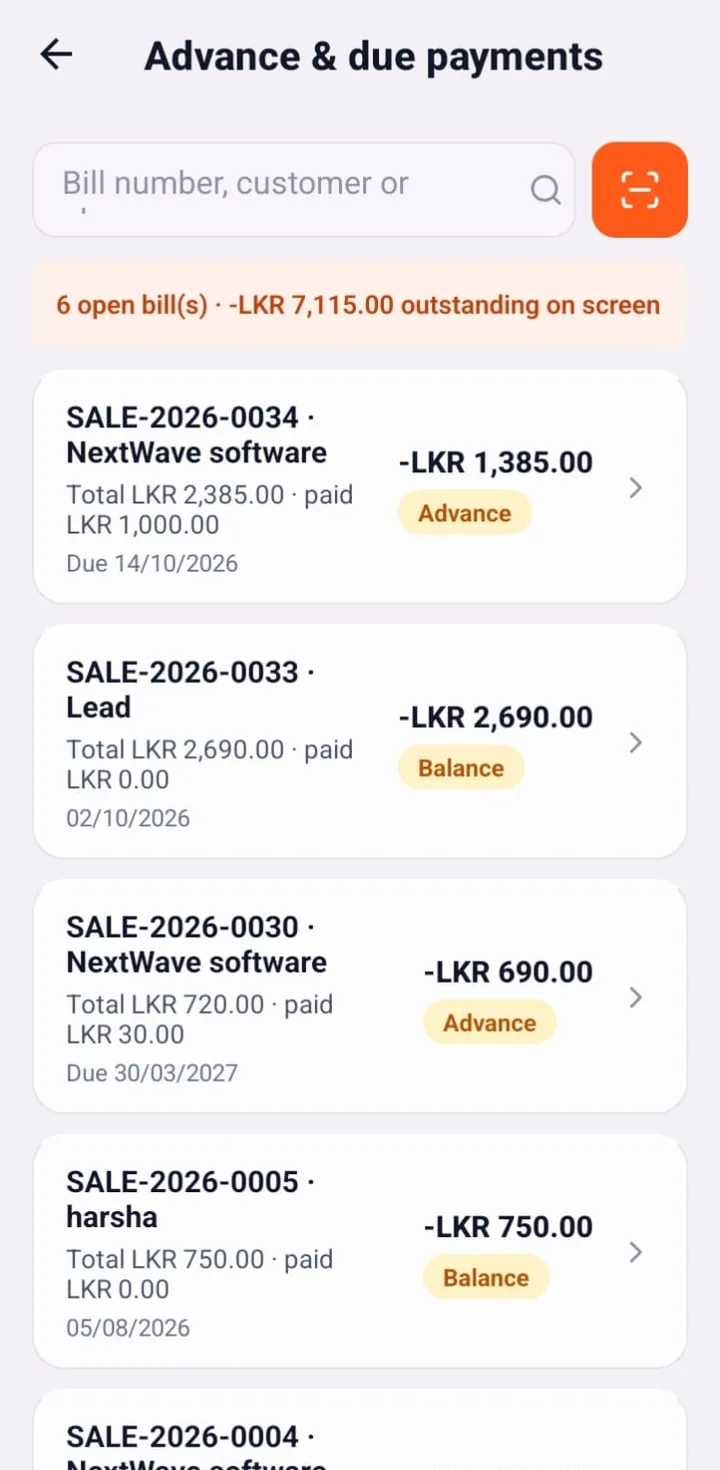
Advance and due payments
Track open bills, advances and balances with due dates so credit sales are collected on time.
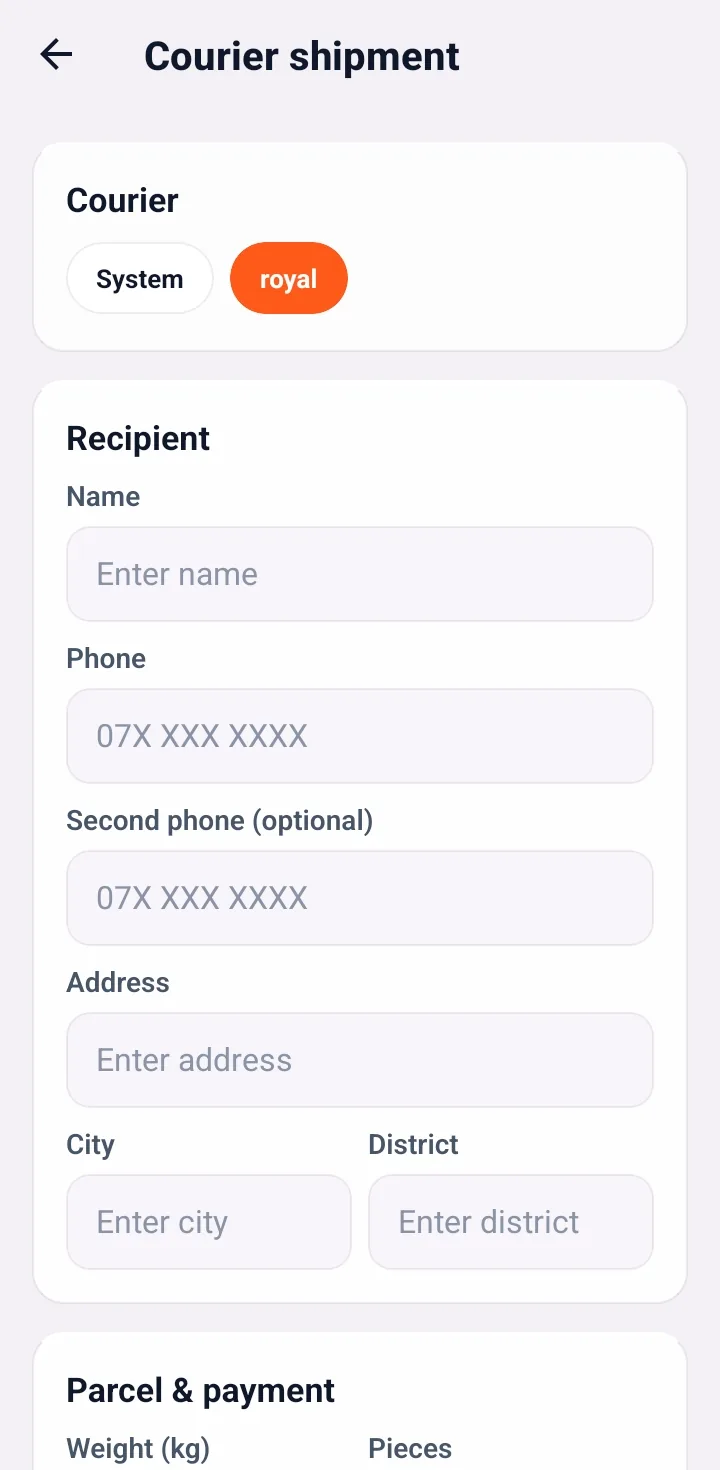
Courier shipment booking
Create a courier shipment from the phone with recipient, address, city, district, weight and COD details.
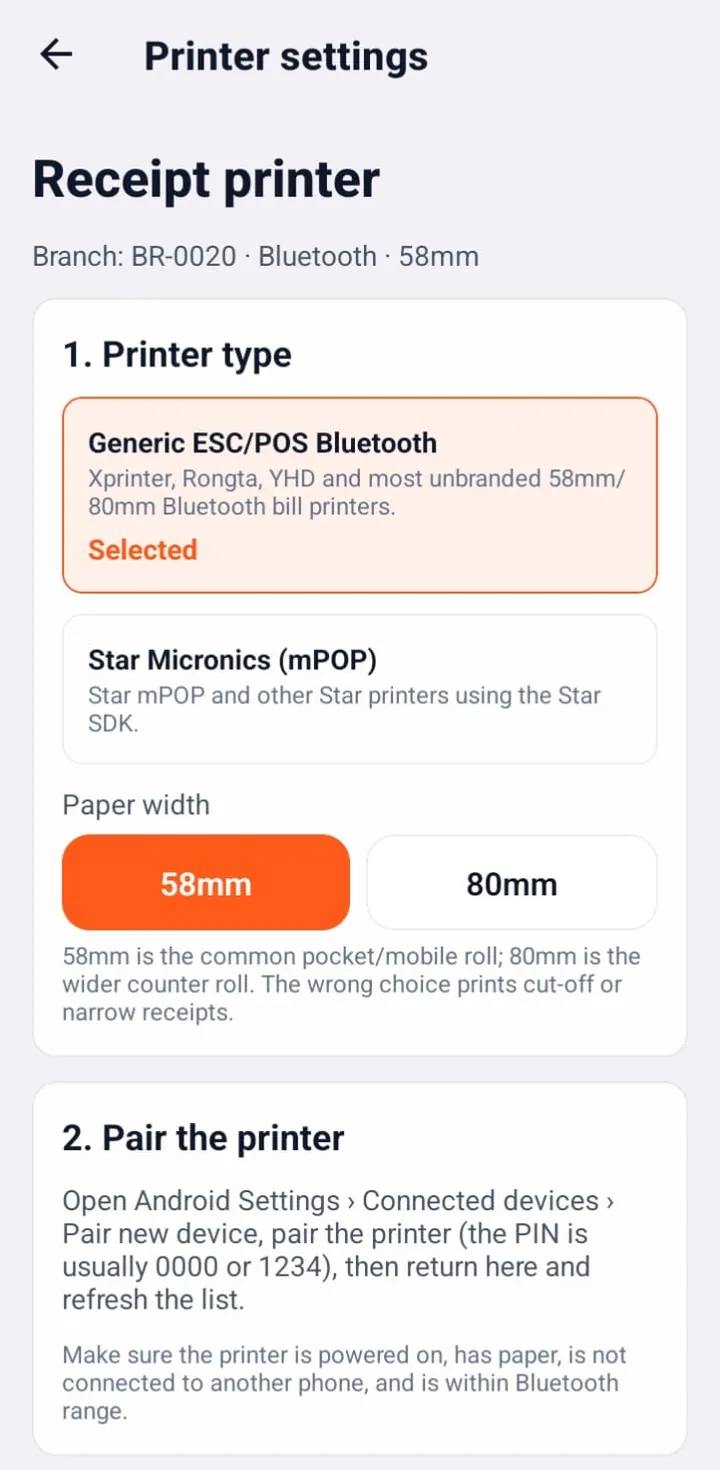
Bluetooth receipt printer
Pair generic ESC/POS Bluetooth printers (Xprinter, Rongta, YHD) or Star Micronics mPOP, on 58mm or 80mm paper.
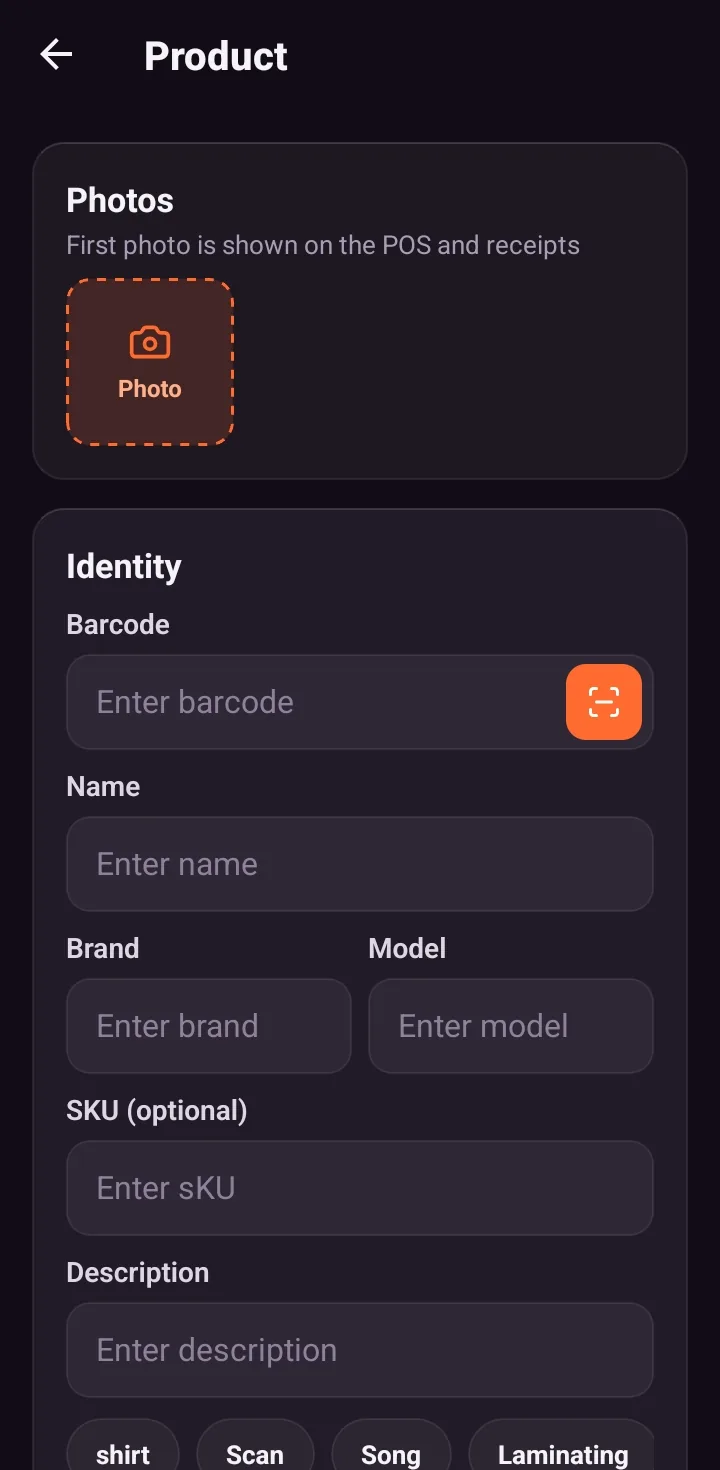
Add products with barcode
Snap a product photo, scan the barcode and add name, brand, model and SKU from the phone, shown here in dark mode.
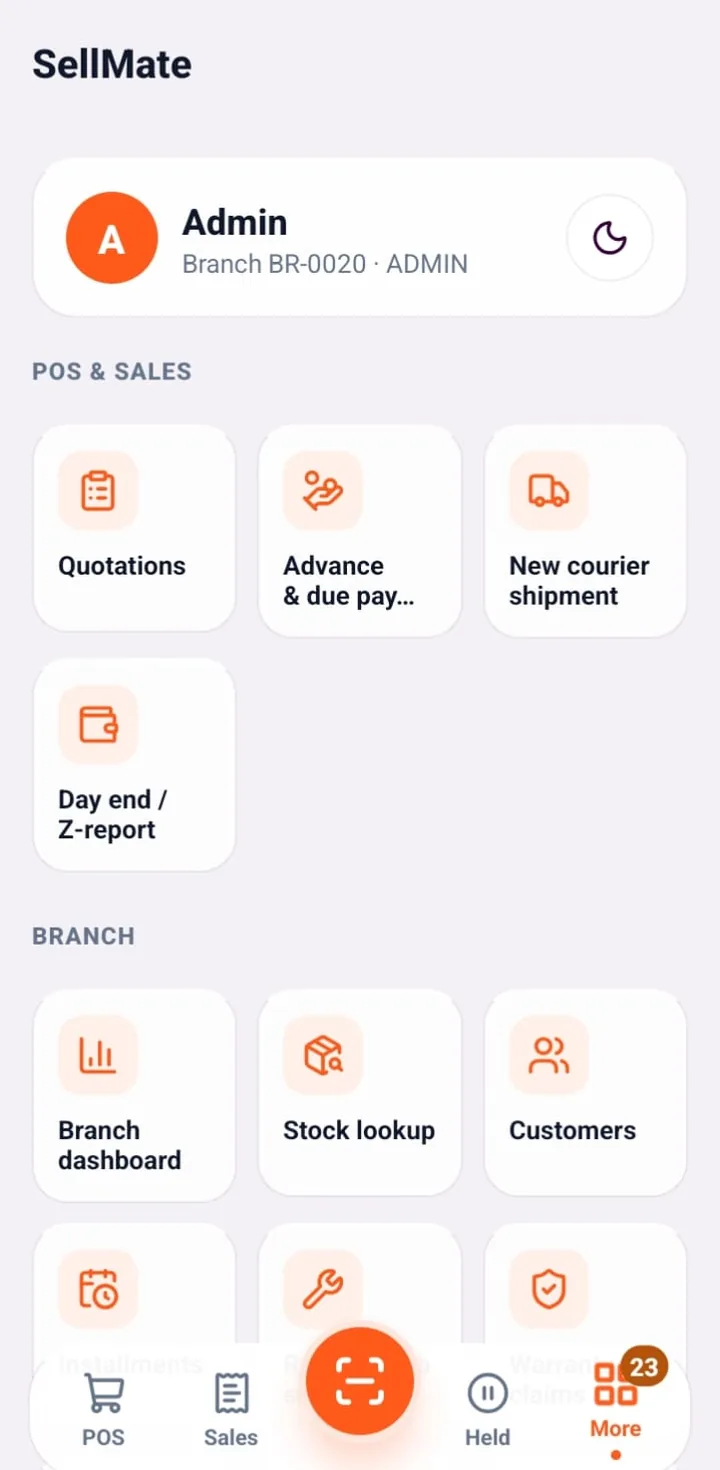
Every module in your pocket
Quotations, advance payments, courier shipments, Z-report, branch dashboard, stock lookup, customers, installments, repairs and warranty claims.
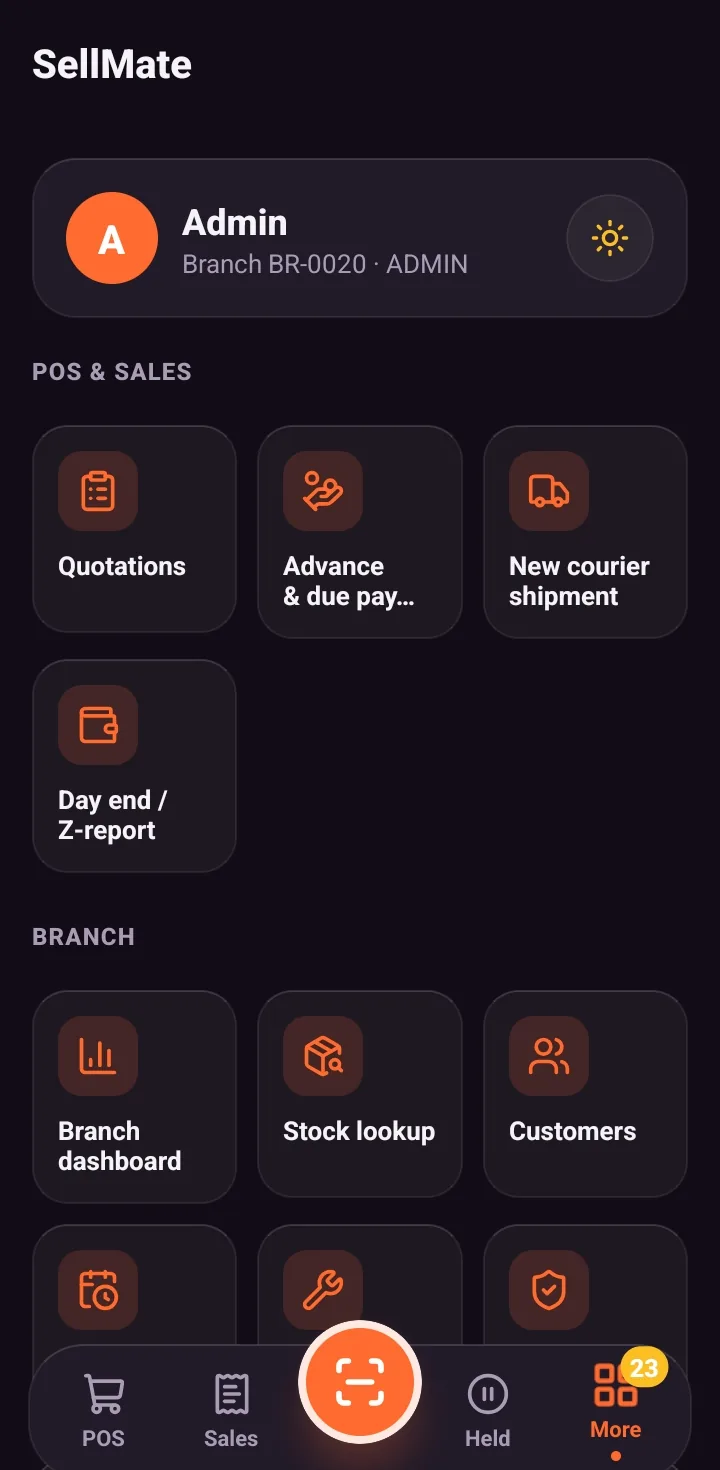
Light and dark mode
Switch between light and dark themes for bright shop floors and late-night counters.
Related solutions
Questions, answered
No. It is part of the SellMate product family and shares the business data model with web and desktop POS.
Ready to transform your business?
Join thousands of retailers using SellMate for POS, inventory, courier, repairs and analytics. Setup in under 5 minutes.
Or message / call us on 070 746 7221