Offline POS Sri Lanka
Keep selling when the line drops — desktop POS with offline queue and sync, plus Bluetooth/USB printing.

Run your store on Sellmate
POS, inventory, courier, repairs, staff and reports. One cloud platform built for retail and gadget shops in Sri Lanka and beyond.
- 14-day free trial
- No credit card required
- Setup in under 5 minutes
Or WhatsApp / call us: 070 746 7221
Does SellMate support offline POS?
Yes. SellMate offers Electron desktop POS for Windows, macOS and Linux with an offline queue that syncs when connectivity returns, plus Bluetooth/USB printer support for receipts.
Offline POS System Sri Lanka
Sri Lankan shop internet is not always perfect. An offline-capable desktop POS protects busy hours so bills still print and sales are not lost to a spinner.
SellMate’s desktop POS queues work locally and syncs when the connection returns, so multi-branch cloud inventory stays eventually consistent without forcing every counter to be online.
Why offline matters at the counter
Sell through outages
Queue transactions locally instead of stopping the line.
Desktop-native
Windows, macOS and Linux Electron apps for fixed counters.
Printer ready
Bluetooth and USB receipt printers for thermal workflows.
Same product family
Works with the broader SellMate inventory, customers and reporting stack once synced.
Desktop / offline capabilities
- Electron desktop POS
- Windows / Mac / Linux
- Offline queue and sync
- Bluetooth / USB printers
- Thermal / A4 receipt printing workflows
- Local / Offline and Retry Failed sales tabs
- Cash drawer open / close with expected cash
The SellMate desktop POS app
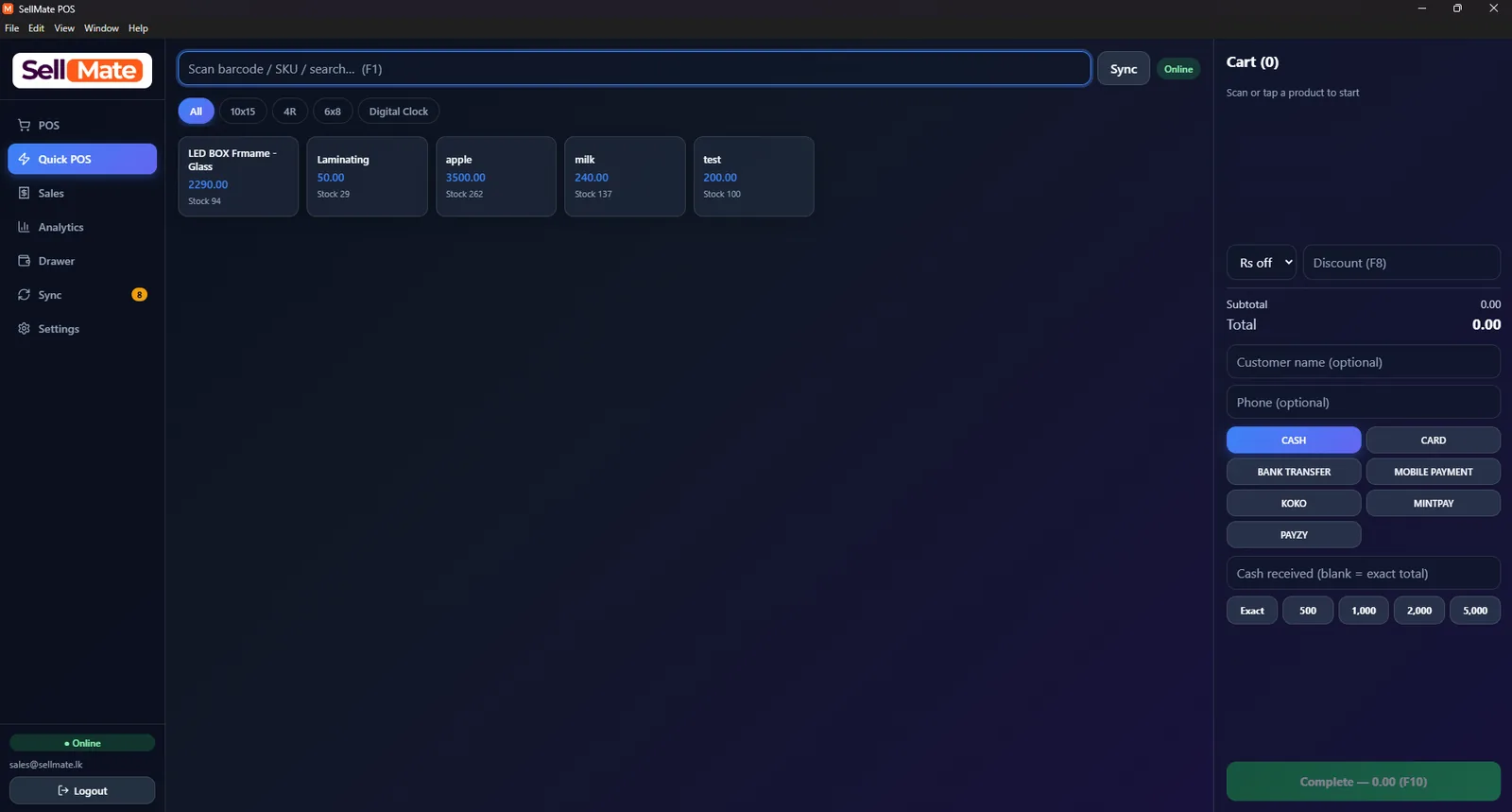
Quick POS billing
Scan a barcode or search by SKU (F1), tap products into the cart, add a discount (F8) and take cash, card, bank transfer, KOKO, Mintpay or Payzy before completing the sale with F10.
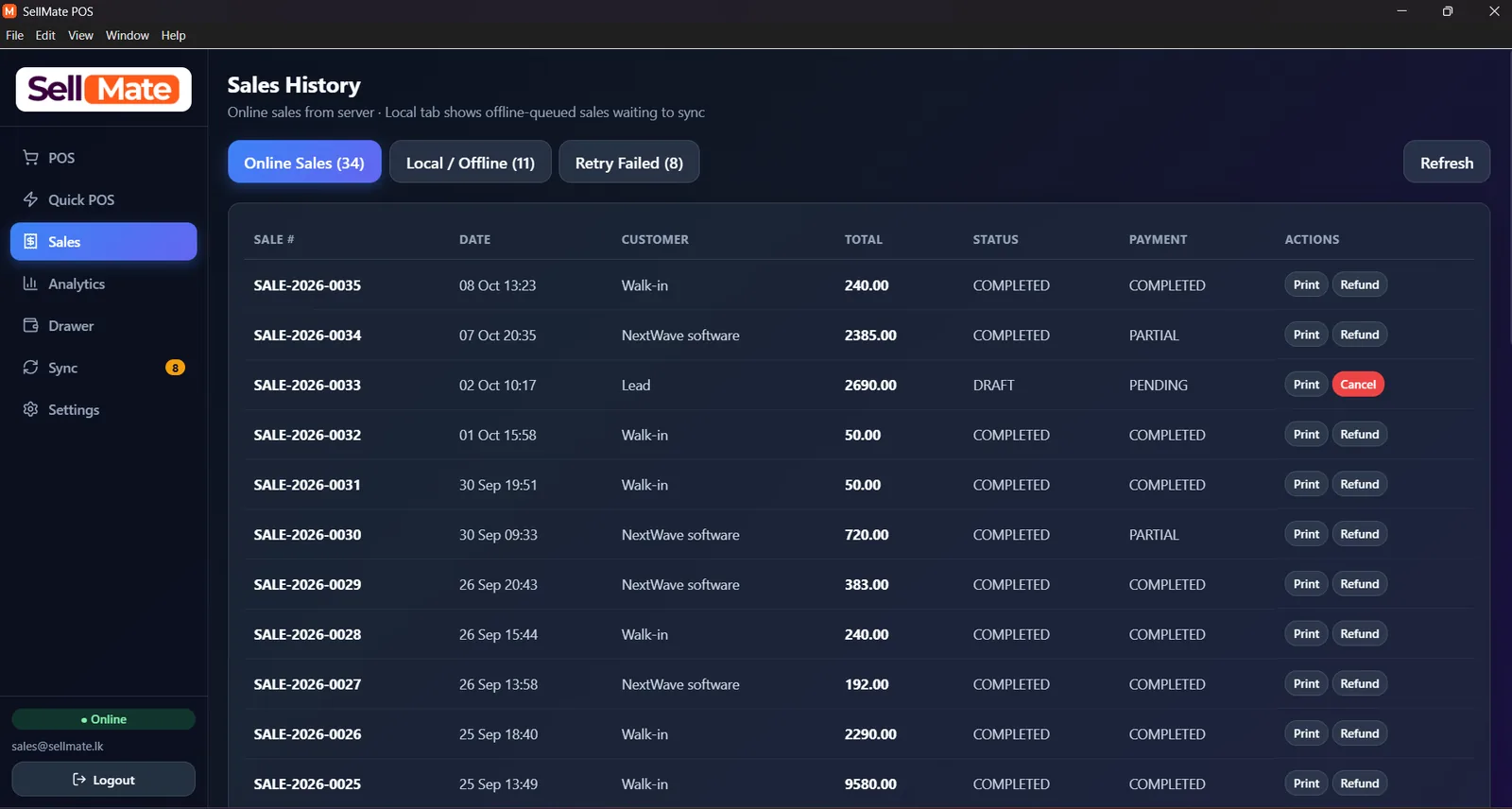
Sales history with offline sync
Online sales from the server sit next to a Local / Offline tab of bills queued while the internet was down, plus a Retry Failed tab. Reprint, refund or cancel any bill.
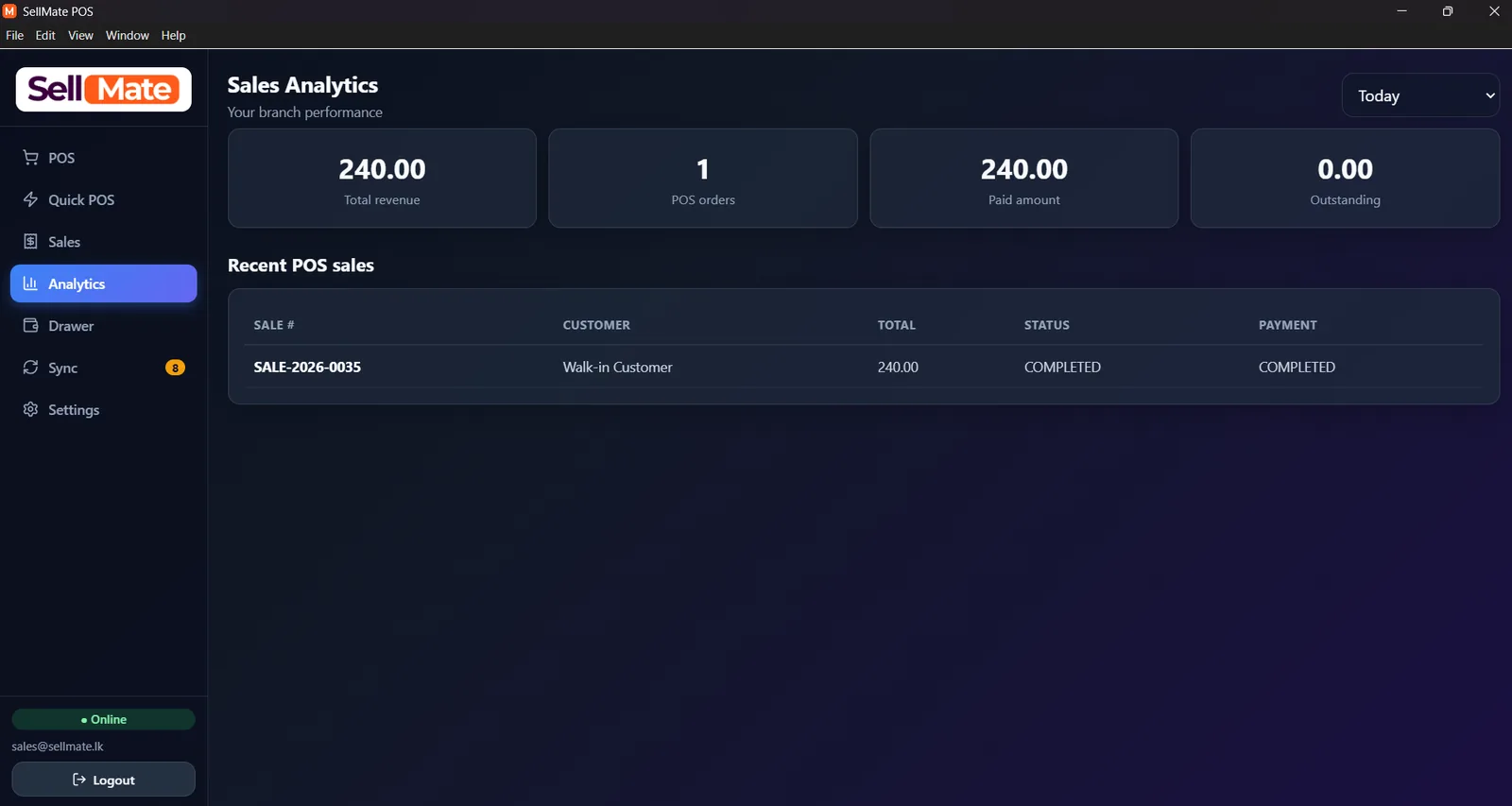
Branch sales analytics
Total revenue, POS orders, paid amount and outstanding balance for the branch, filtered by period, with the latest POS sales underneath.
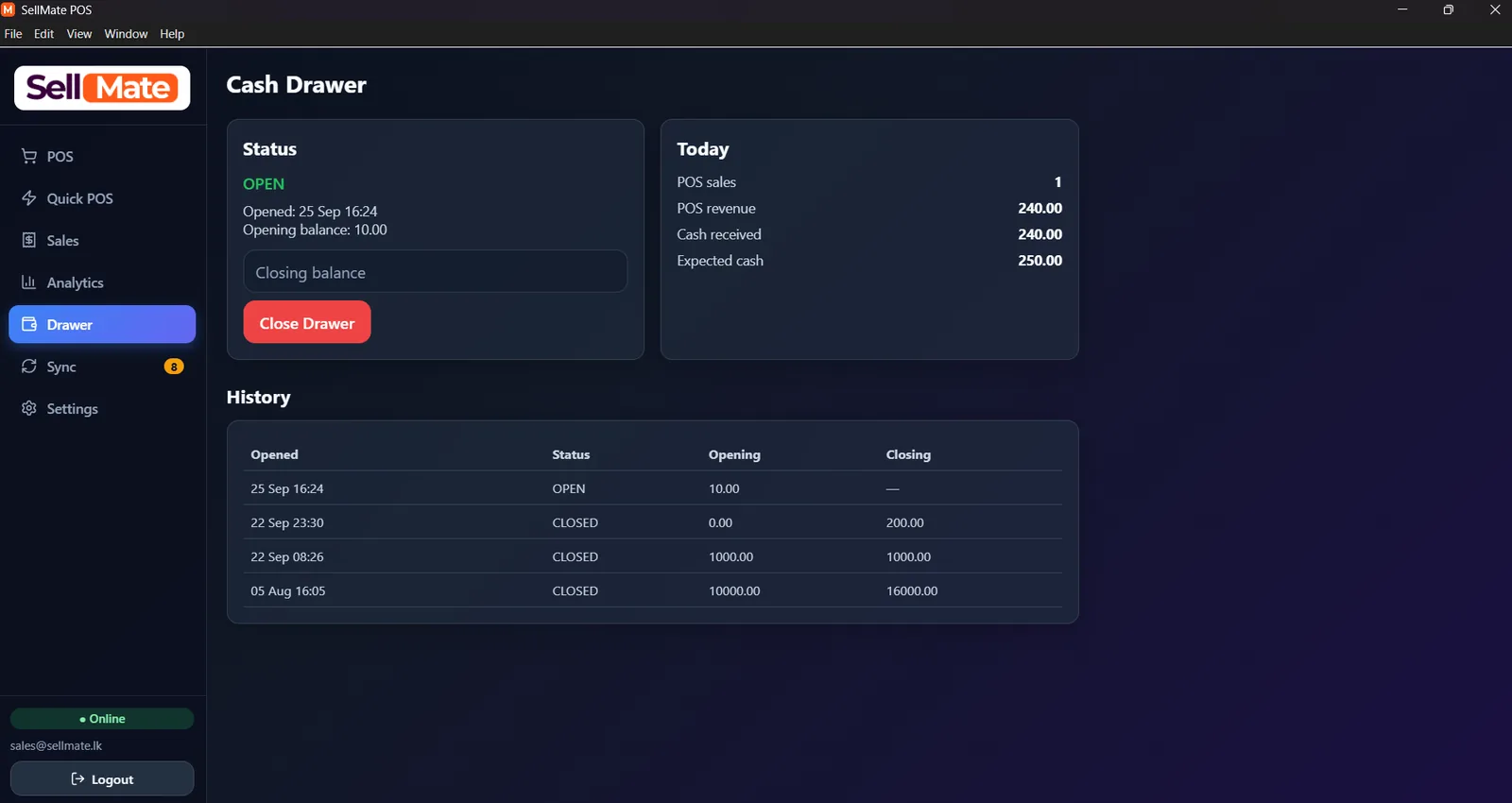
Cash drawer and day end
Open the drawer with an opening balance, see POS revenue, cash received and expected cash for today, then close with the counted balance. Every shift stays in the history.
Related solutions
Questions, answered
Desktop POS covers Windows, macOS and Linux via the Electron application.
Ready to transform your business?
Join thousands of retailers using SellMate for POS, inventory, courier, repairs and analytics. Setup in under 5 minutes.
Or message / call us on 070 746 7221