POS

POS System Sri Lanka

Cloud POS for Sri Lankan shops — barcode checkout, payments, inventory sync, mobile & desktop apps, and the modules you grow into next.

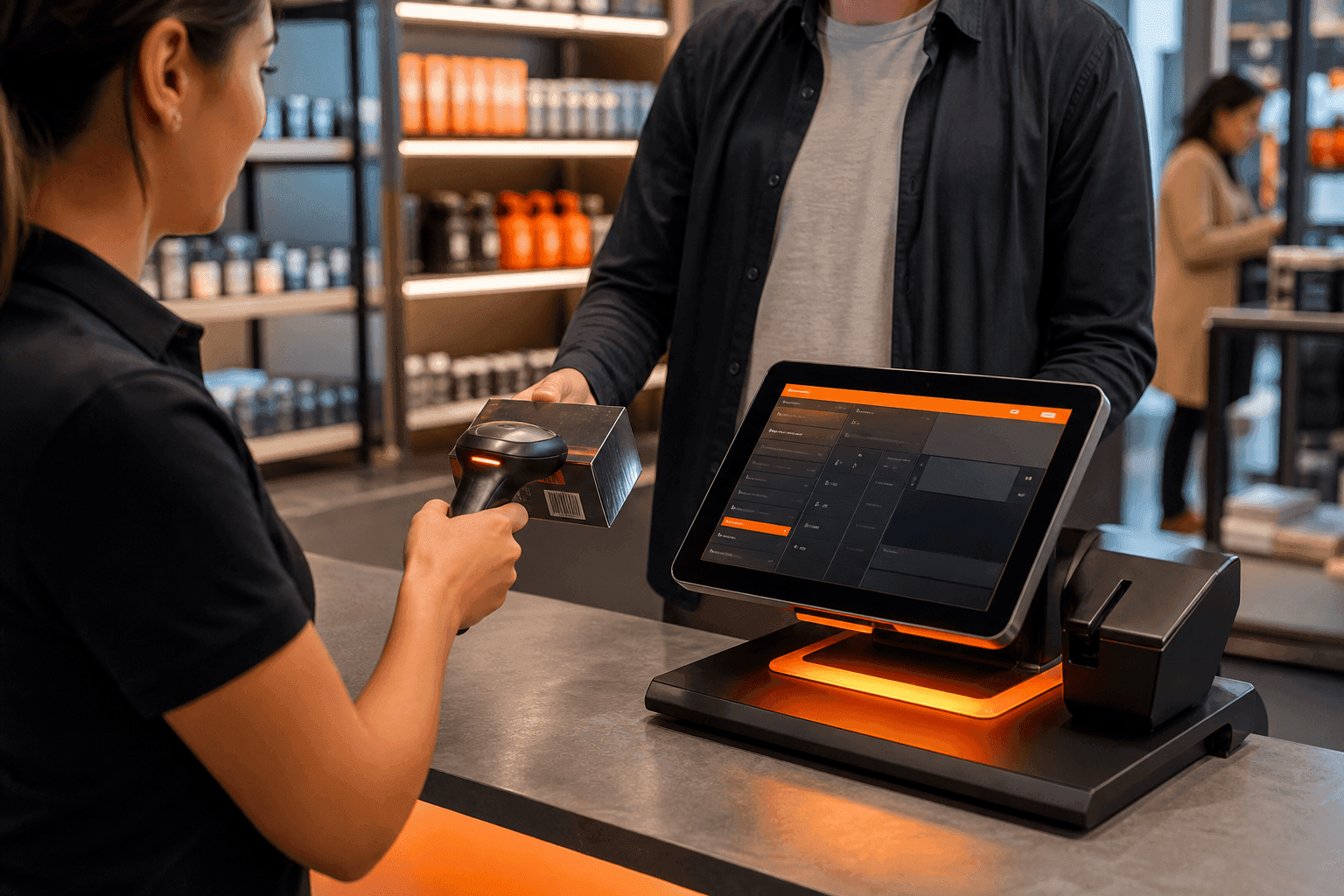
SellMate POS system on retail devices
Sellmate dashboard preview
Live platform preview

Run your store on Sellmate

POS, inventory, courier, repairs, staff and reports. One cloud platform built for retail and gadget shops in Sri Lanka and beyond.

  • 14-day free trial
  • No credit card required
  • Setup in under 5 minutes

Or WhatsApp / call us: 070 746 7221

What does SellMate POS include?

SellMate POS includes Quick POS and Advanced POS, barcode sales, cash/card/bank/split payments, hold cart, quotations-to-sales, discounts, returns/refunds/exchanges, advance/partial payments, loyalty redemption, IMEI/serial capture, mobile top-up/reload, thermal/A4 receipts, customer display, cash drawer support, plus mobile POS and desktop offline POS.

POS System Sri Lanka

A POS system in Sri Lanka has to survive busy counters, LKR tender types, barcode catalogues and staff who switch between phone and desktop. SellMate is built for that reality — not as a thin billing screen bolted onto overseas software.

Every sale can update shared inventory, customer history and optional courier or repair workflows from the same login. Start with checkout speed, then add branches, COD and job sheets when you are ready.

Whether you run one till or a multi-branch chain, SellMate keeps permissions, stock and reports consistent so owners are not reconciling three spreadsheets at night.

Benefits

Why shops choose SellMate POS

Fast barcode checkout

Scan, bill and print receipts built for busy Sri Lankan retail counters.

Billing tied to stock

Every sale updates inventory instantly — no double entry.

Cloud + offline options

Run POS on web, mobile apps or desktop offline with sync when the line returns.

Local workflows

LKR payments, WhatsApp orders and courier COD in the same platform.

Included

POS capabilities

  • Quick POS & Advanced POS
  • Barcode sales
  • Cash / card / bank / split payments
  • Hold cart & quotations → sales
  • Discounts, returns, refunds, exchanges
  • Advance / partial payments & loyalty redemption
  • IMEI / serial capture & mobile top-up
  • Thermal / A4 receipts, customer display, cash drawer
  • Mobile POS & desktop offline POS
SellMate POS system on retail devices
Real app screenshots

SellMate POS on desktop and mobile

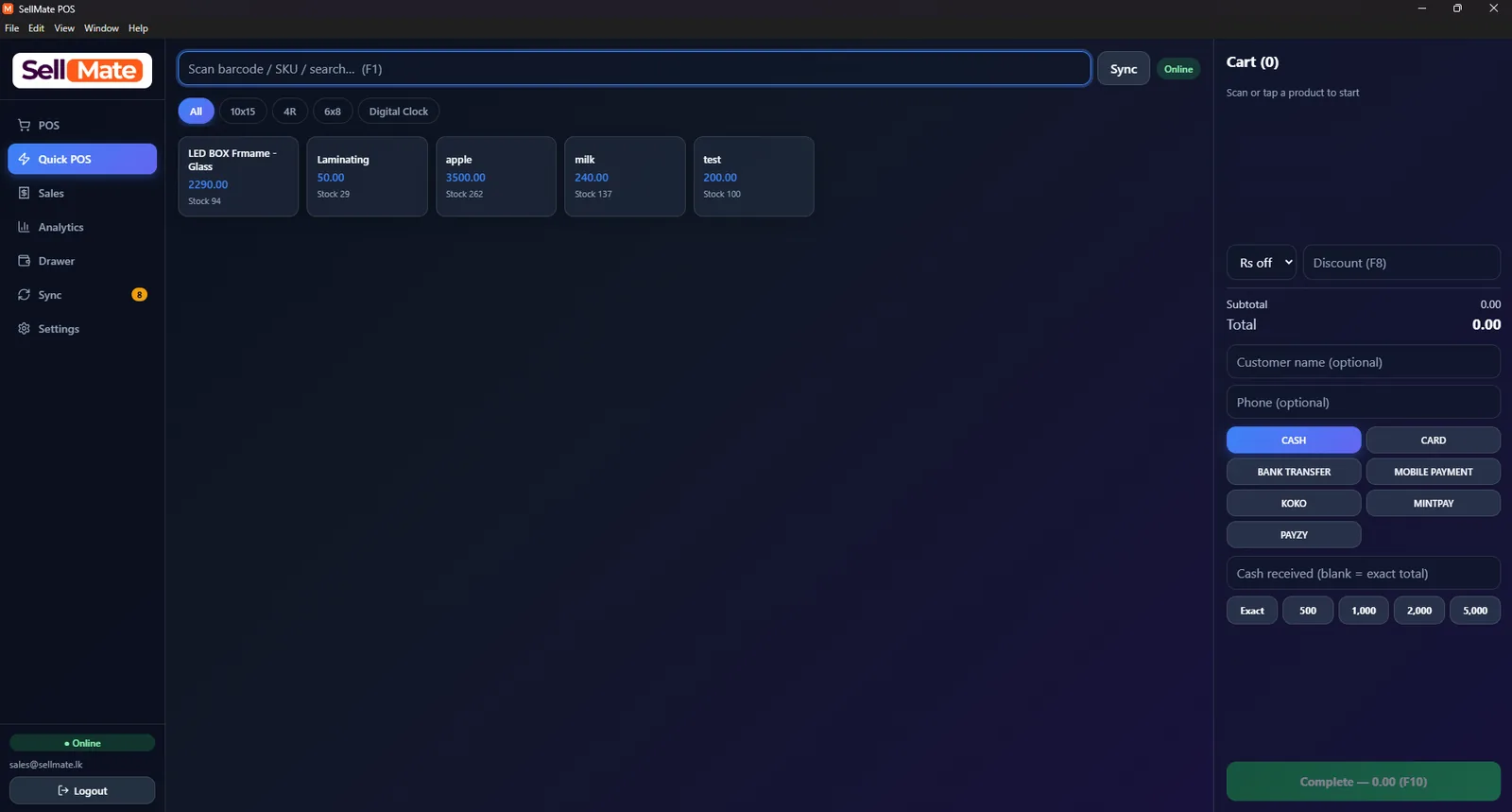
SellMate desktop POS on Windows showing the Quick POS screen with barcode search, product tiles, cart, discount and payment methods

Quick POS billing

Scan a barcode or search by SKU (F1), tap products into the cart, add a discount (F8) and take cash, card, bank transfer, KOKO, Mintpay or Payzy before completing the sale with F10.

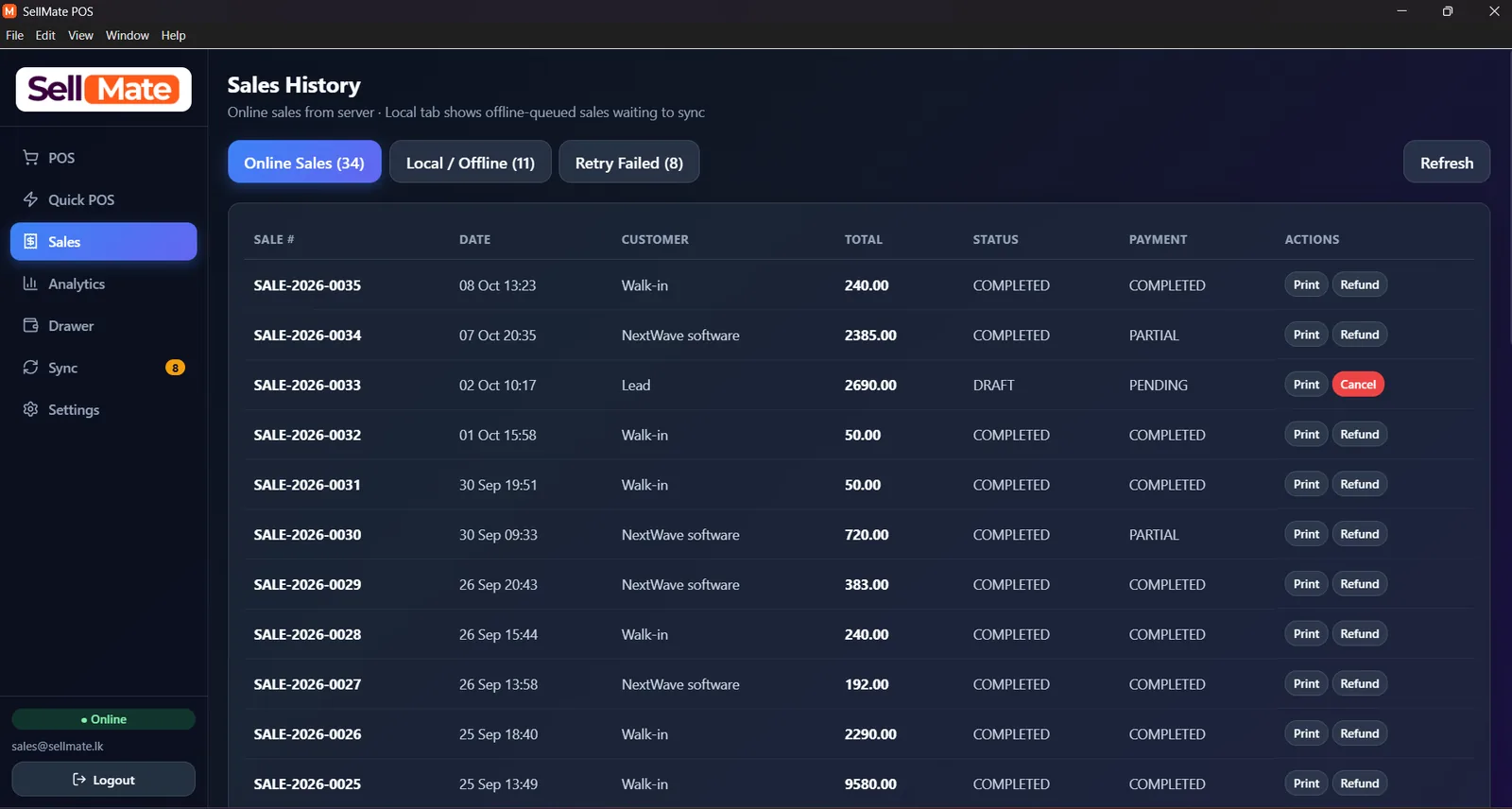
SellMate desktop POS sales history with online sales, local offline queue and retry failed tabs, print and refund actions

Sales history with offline sync

Online sales from the server sit next to a Local / Offline tab of bills queued while the internet was down, plus a Retry Failed tab. Reprint, refund or cancel any bill.

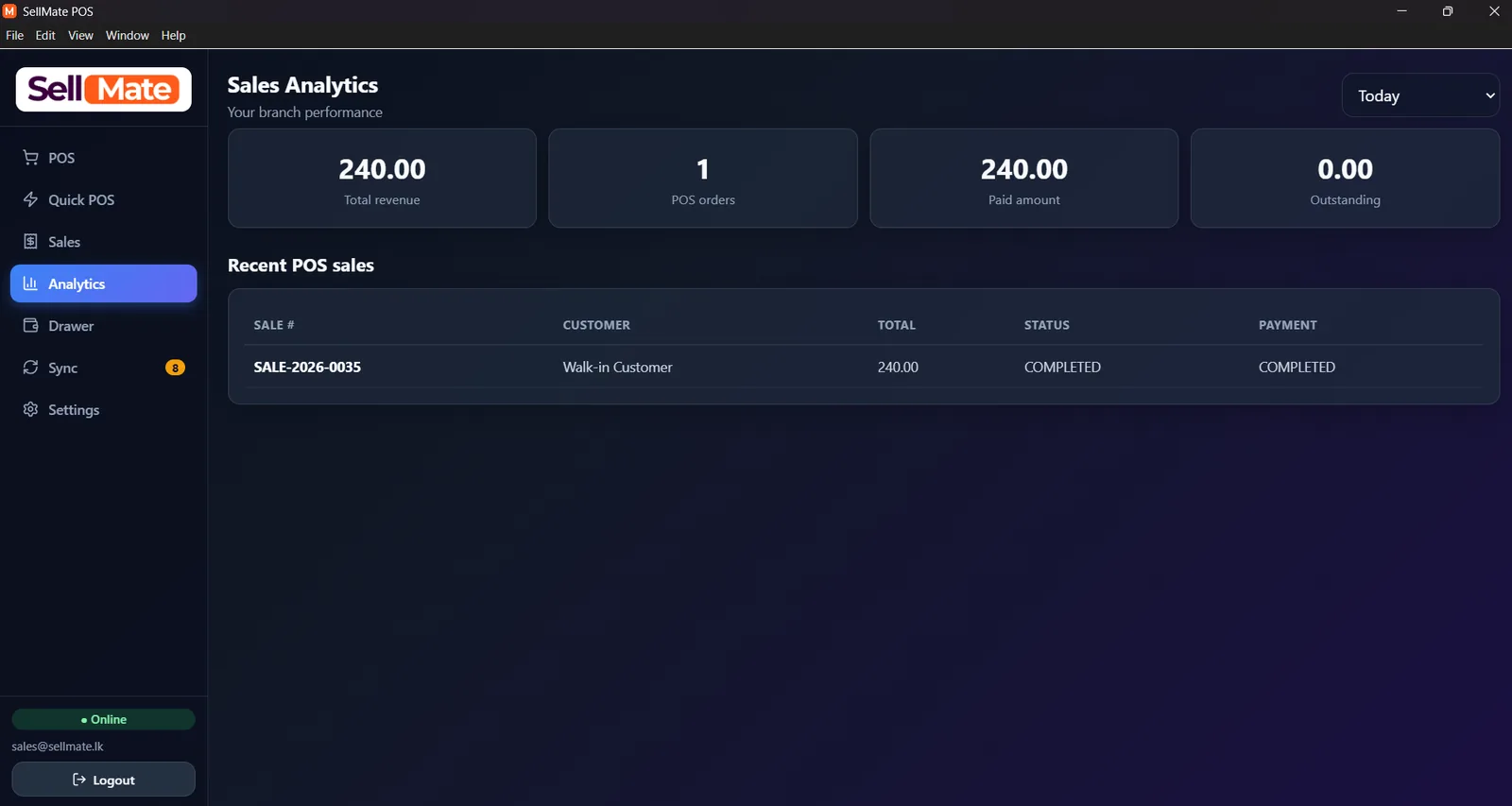
SellMate desktop POS sales analytics dashboard showing total revenue, POS orders, paid amount and outstanding for the branch

Branch sales analytics

Total revenue, POS orders, paid amount and outstanding balance for the branch, filtered by period, with the latest POS sales underneath.

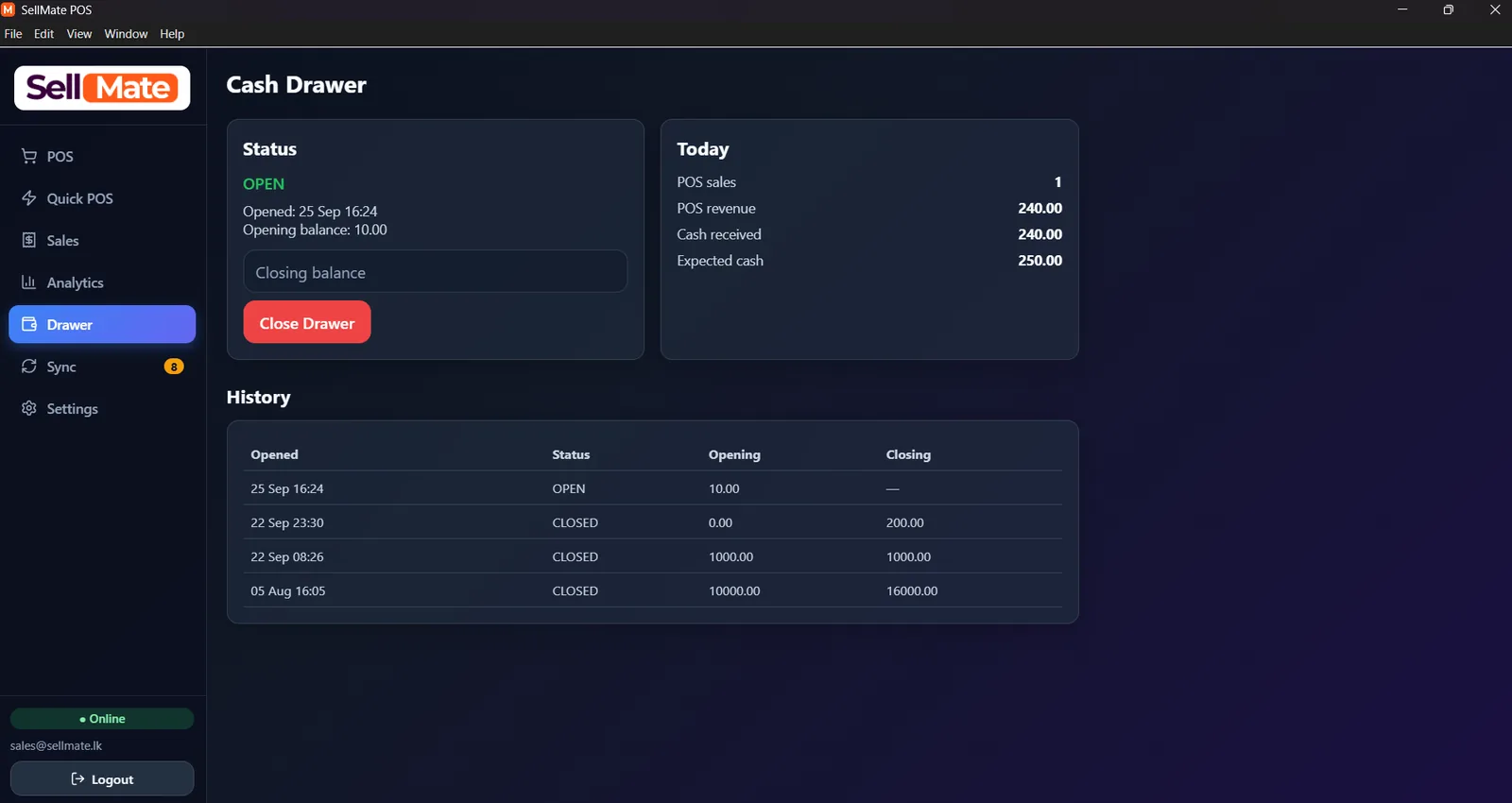
SellMate desktop POS cash drawer screen with opening balance, expected cash, close drawer button and drawer history

Cash drawer and day end

Open the drawer with an opening balance, see POS revenue, cash received and expected cash for today, then close with the counted balance. Every shift stays in the history.

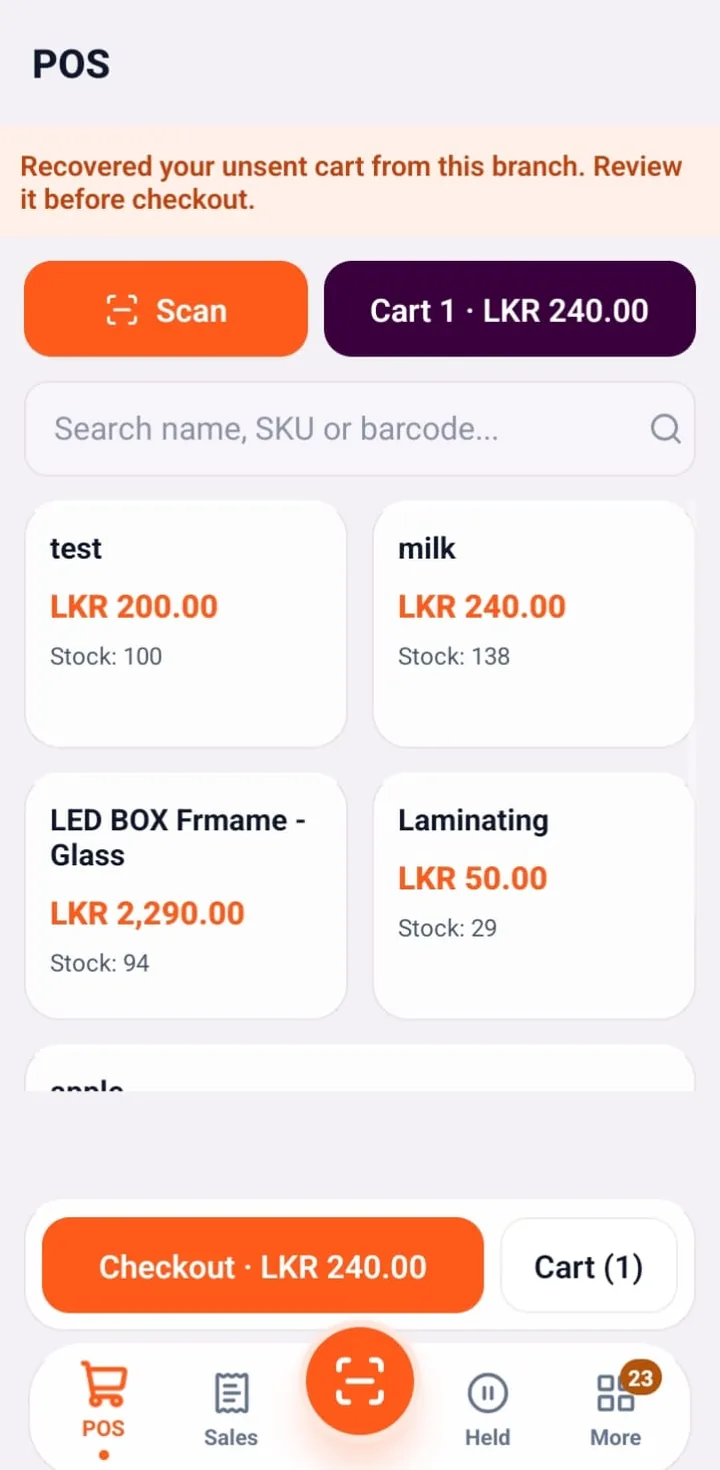
SellMate Android mobile POS screen with barcode scan button, product search, prices, stock levels and checkout

Mobile POS billing

Scan with the phone camera or search by name, SKU or barcode, then check out from the floor. Unsent carts are recovered automatically.

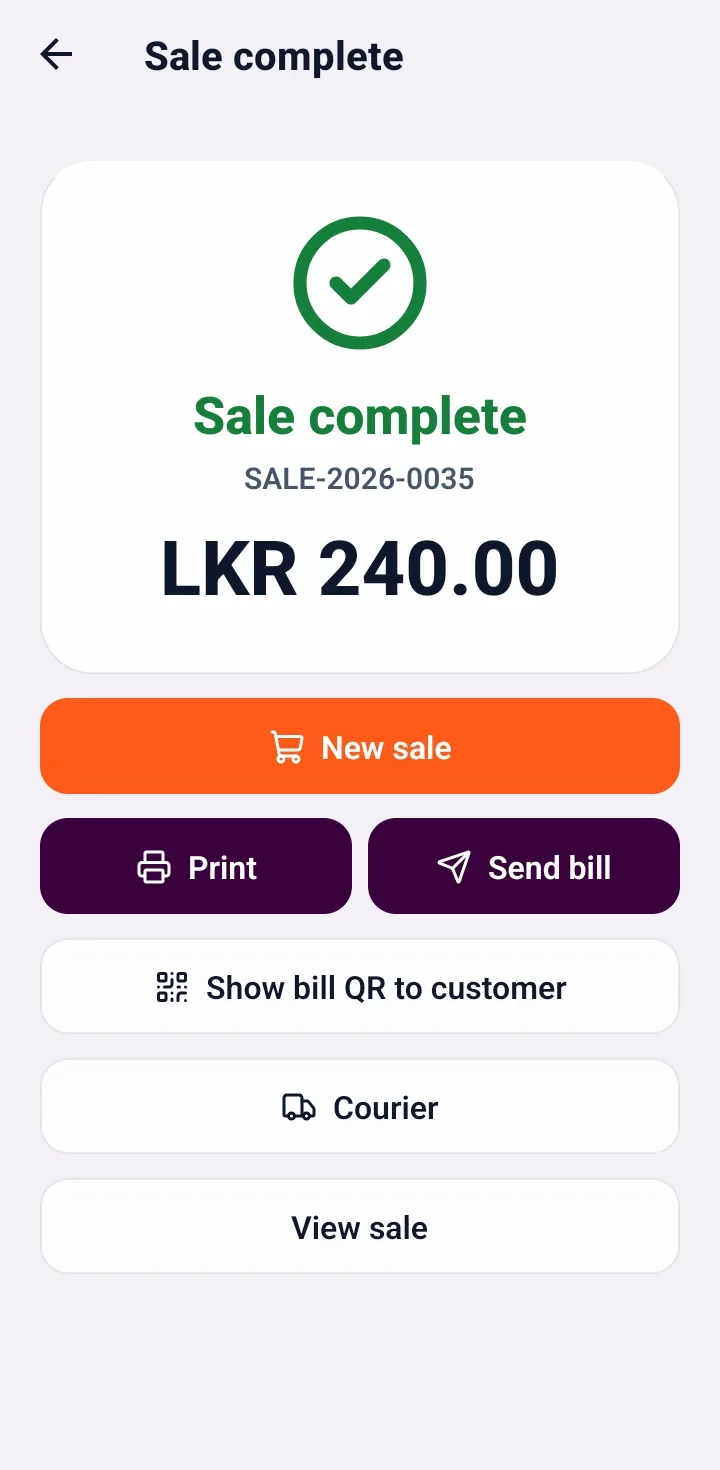
SellMate mobile POS sale complete screen with print, send bill, bill QR and courier buttons

Sale complete

Print the receipt, send the bill, show a bill QR to the customer or book a courier straight from the finished sale.

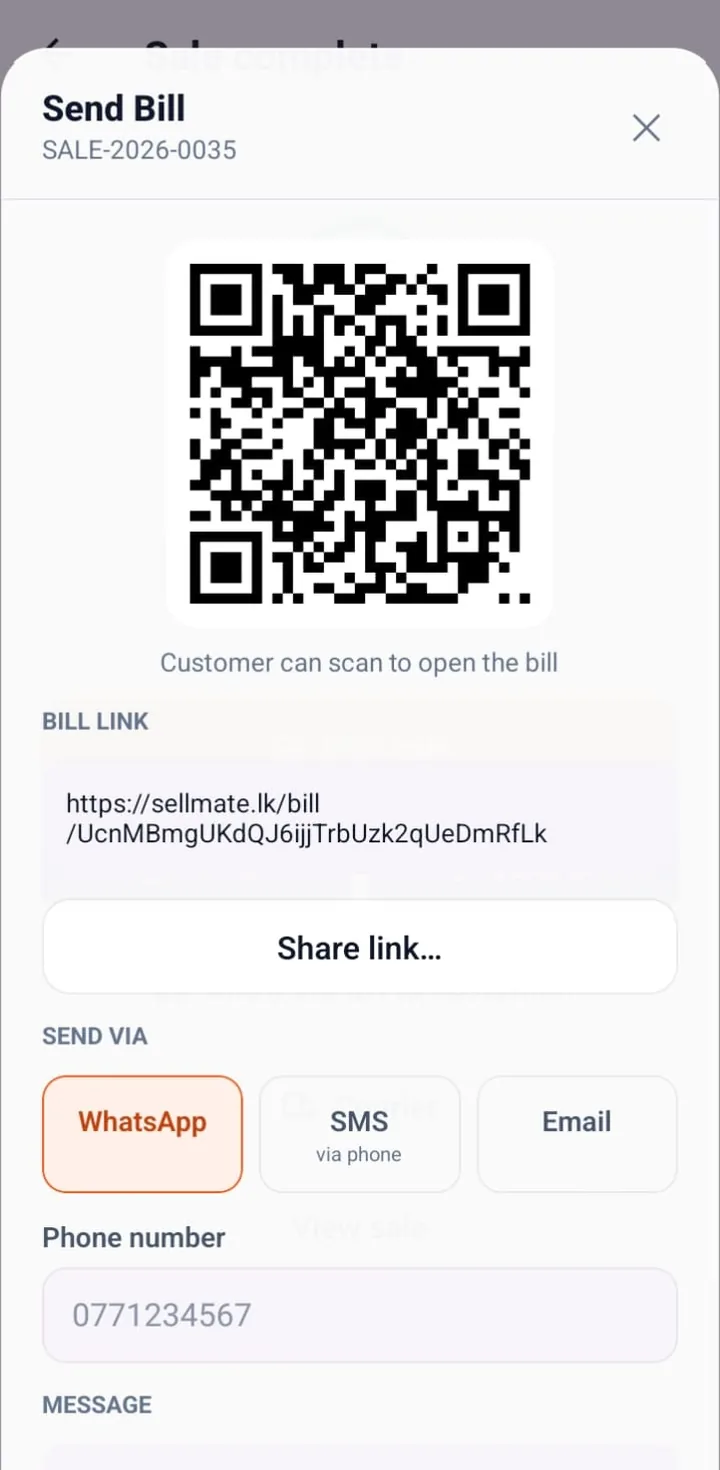
SellMate send bill screen with QR code, digital bill link and WhatsApp, SMS and email options

Send e-bill by WhatsApp, SMS or QR

Every sale gets a shareable digital bill link and QR code. Send it by WhatsApp, SMS or email instead of paper.

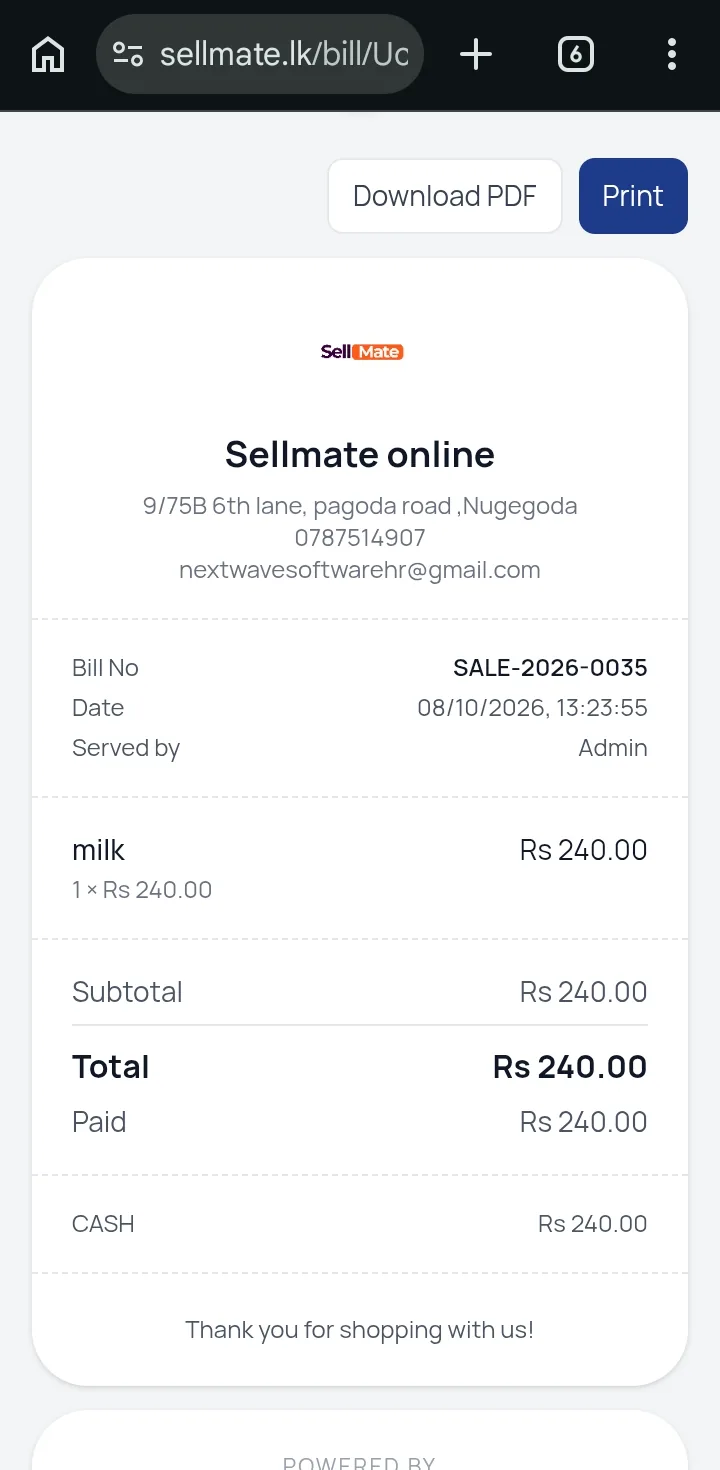
SellMate digital receipt opened on a phone browser with bill number, items, total, payment and download PDF button

Digital receipt for customers

Customers open a branded online bill on sellmate.lk with items, totals and payment, and can download a PDF or print it.

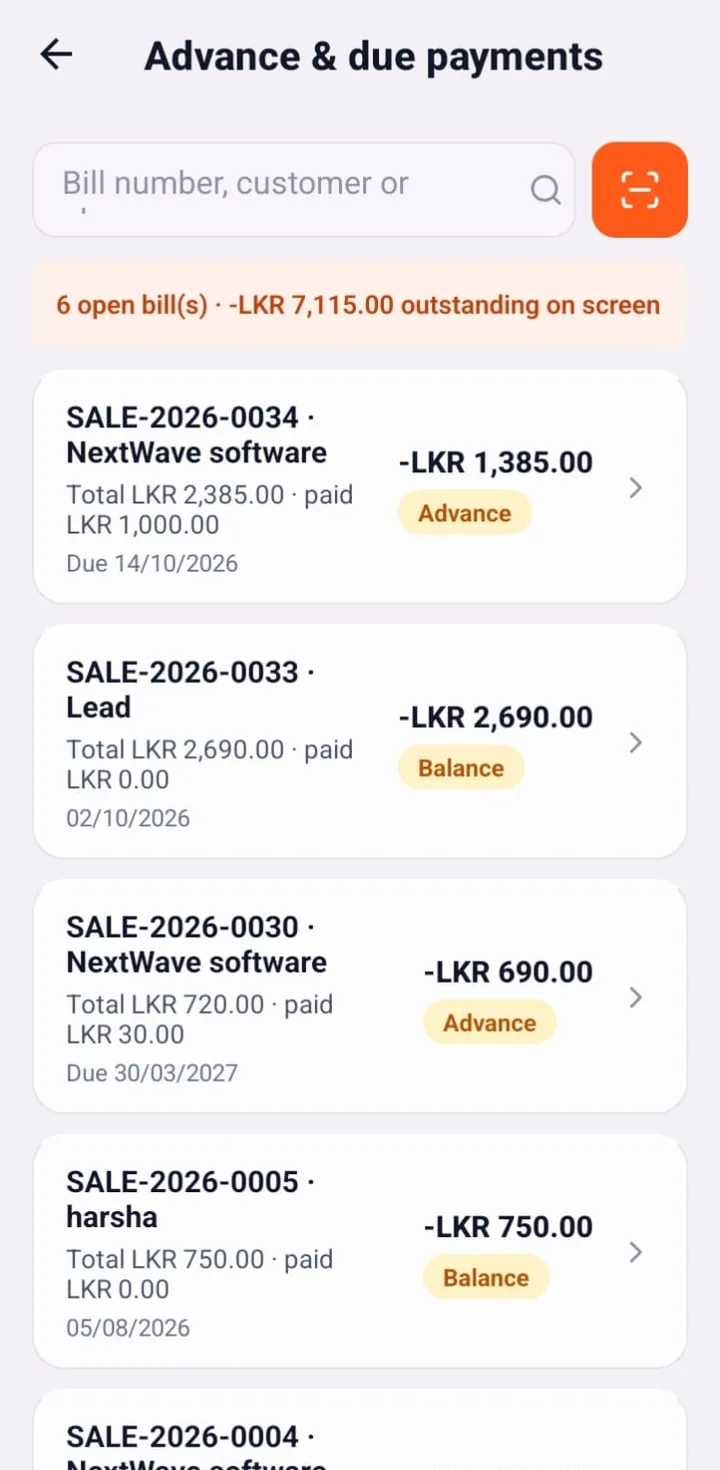
SellMate mobile POS advance and due payments list with outstanding balances and due dates

Advance and due payments

Track open bills, advances and balances with due dates so credit sales are collected on time.

Who SellMate POS is for

  • Mobile and electronics shops that need IMEI, warranty and repairs beside the till
  • Fashion and grocery counters that live on barcodes and variants
  • Online sellers who still need an in-store POS and courier COD
  • Multi-branch owners who want one permission model and stock pool
Real SellMate customers

Shops already running SellMate

Sri Lankan businesses using SellMate every day at their counters and offices.

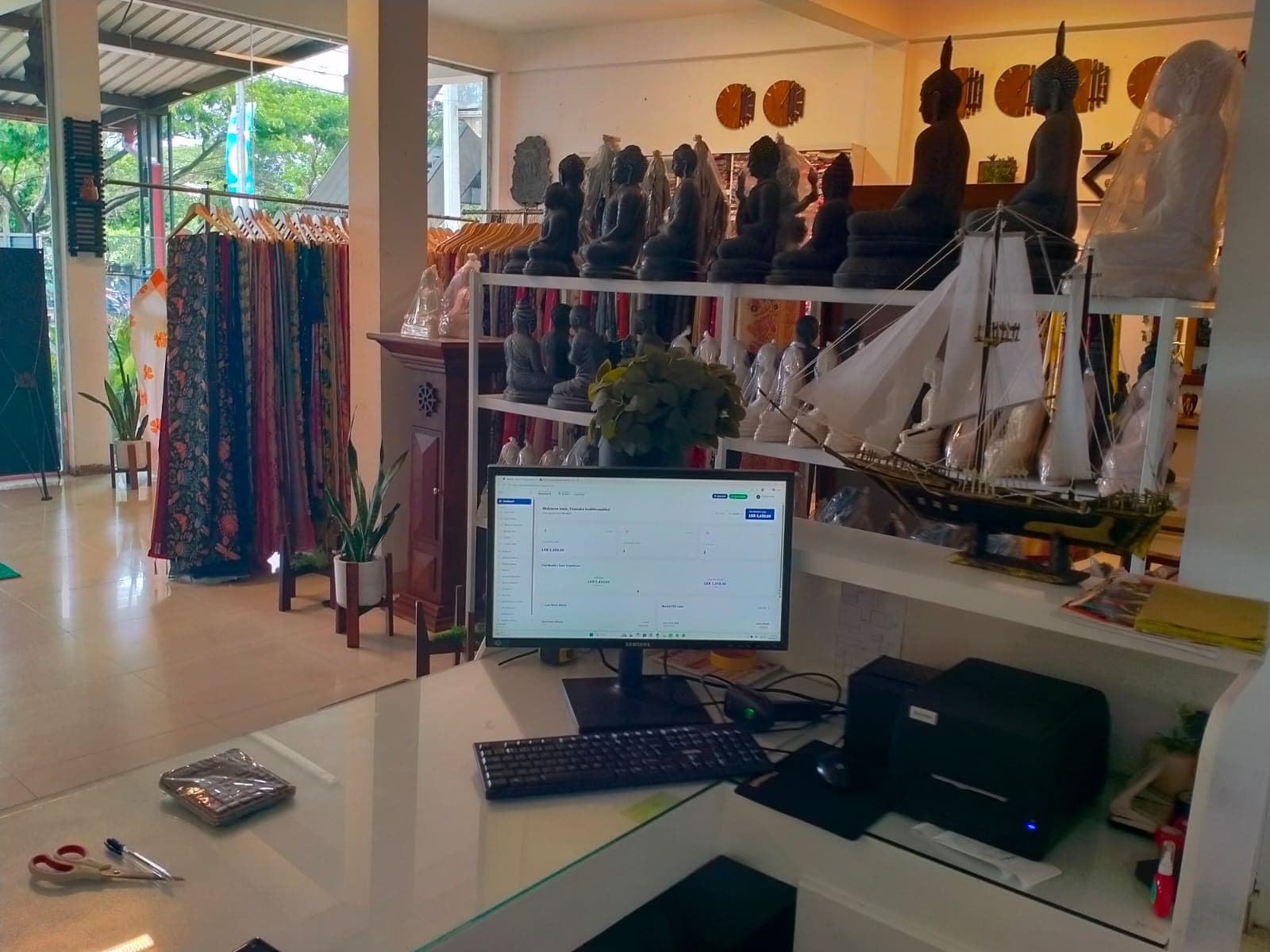
SellMate POS at the Sareeshop.lk saree showroom counter with receipt printer and barcode scanner
Live on SellMate
Sareeshop.lk logo

Sareeshop.lk

Saree, handloom & gift shop

Sareeshop.lk runs its showroom counter on SellMate: Quick POS billing with an Xprinter receipt printer and barcode scanner, low-stock alerts, courier sales and WooCommerce orders from the same dashboard.

  • Quick POS
  • Receipt printing
  • Barcode scanning
  • Inventory alerts
  • Courier sales
  • WooCommerce orders
See how Sareeshop.lk uses SellMate
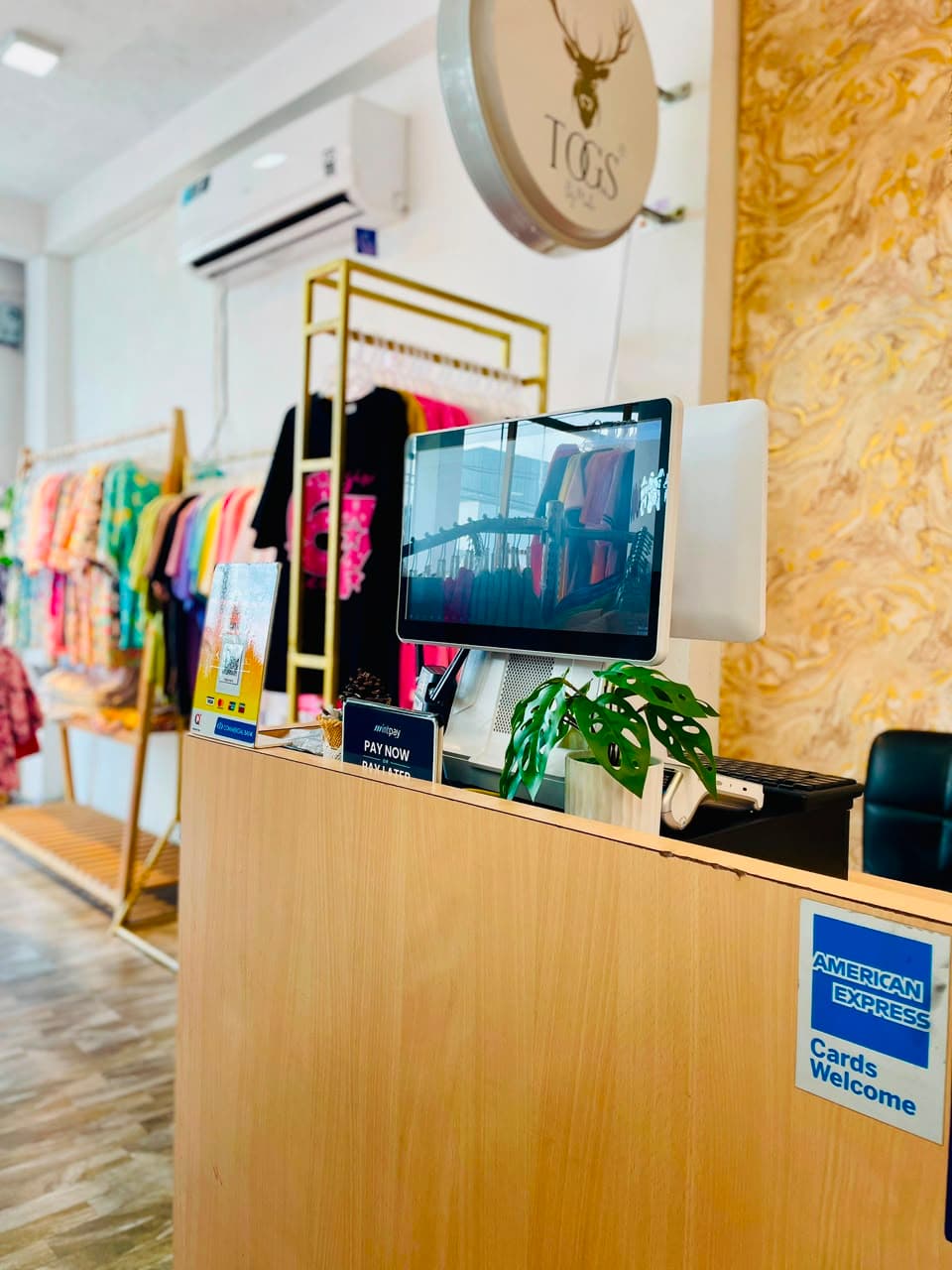
SellMate touchscreen POS at the Togs by Madio clothing boutique counter
Live on SellMate
Togs by Madio logo

Togs by Madio

Clothing boutique

Togs by Madio bills every sale on a SellMate touchscreen POS with a customer-facing display, plus built-in returns, exchanges and card payments at the boutique counter.

  • Touchscreen POS
  • Customer display
  • Returns & exchanges
  • Card payments
See how Togs by Madio uses SellMate
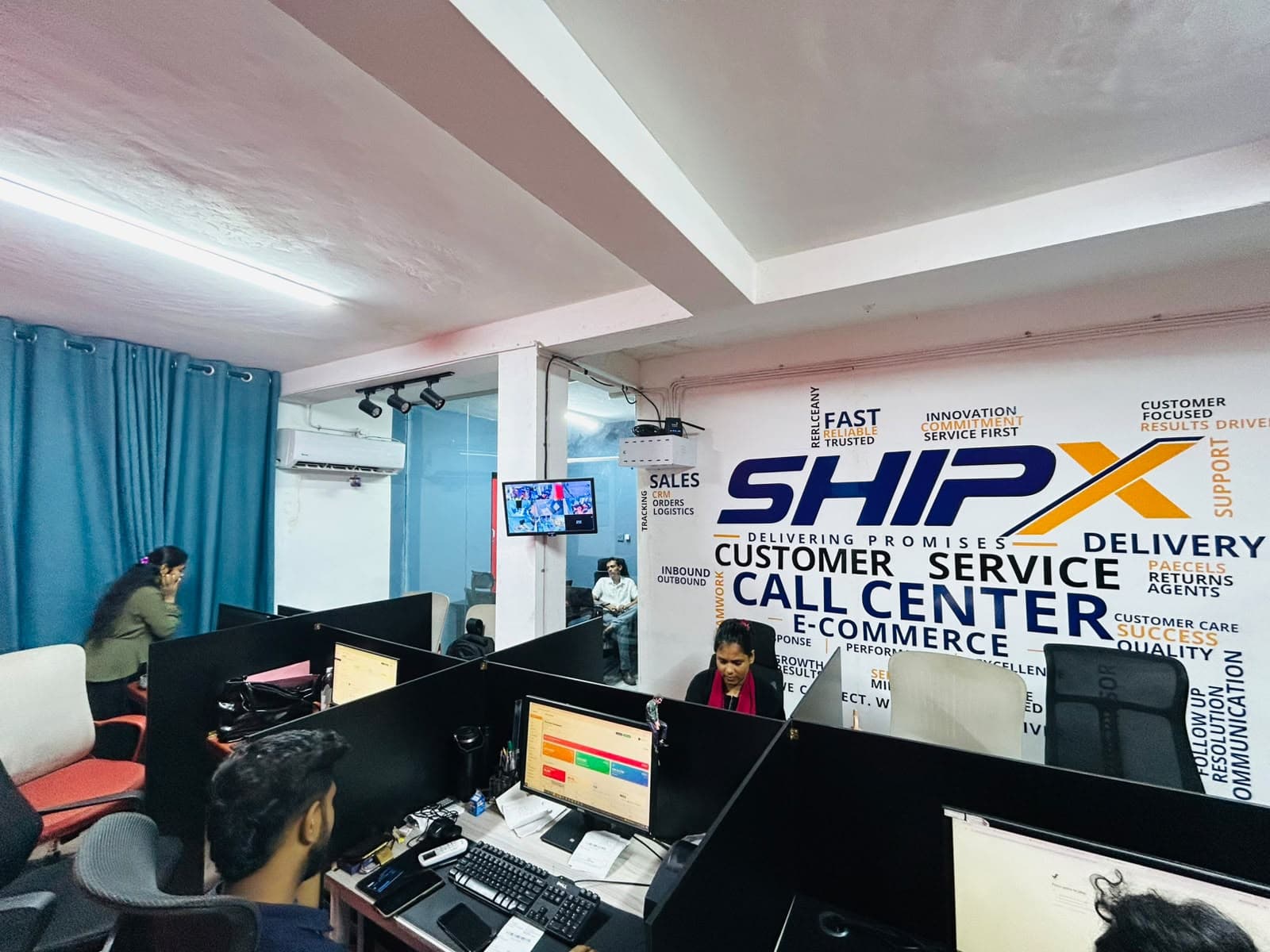
ShipX customer service and e-commerce call center team working on SellMate
Live on SellMate
ShipX Delivering Promises logo

ShipX

Courier, e-commerce & call center

ShipX runs its customer service and e-commerce call center on SellMate: agents manage orders, create shipments with cash on delivery, and print courier labels from shared workstations.

  • Order management
  • Shipment creation
  • Cash on delivery
  • Courier labels
  • Multi-user workstations
See how ShipX uses SellMate
Explore more

Related solutions

FAQ

Questions, answered

Yes. SellMate is cloud POS software built for Sri Lankan shops, with local payment styles, courier COD options, WhatsApp commerce and multi-branch control.

14-day free trial · no card required

Ready to transform your business?

Join thousands of retailers using SellMate for POS, inventory, courier, repairs and analytics. Setup in under 5 minutes.

Or message / call us on 070 746 7221